You've seen the display home. The brochure says "from $399,000". The block you like is on the market now, and you're wondering what the house you actually want would cost to build on it.
Here's the trouble. Two four-bedroom, single-storey homes in Brisbane, both 240 m². In the worked examples that come with C27, one is estimated at $483,565 and the other at $590,734, including GST. That's $107,169 apart for the same size house in the same city. The finish level, the site works and what's included make the difference.
If you buy the land first and find that out later, the money you have left decides the house. I'd rather you knew before you signed for the block.
C27 Build Cost Estimator tells you what the building you want should cost to build, before you buy land or pay for drawings.
The questions it answers
- What should this house cost to build? An estimated builder's price, with and without GST, priced element by element from the slab to the roof, the fit-out, services and the driveway.
- Is the "from" price realistic? See what the advertised price leaves out once site costs, upgrades and fees are added.
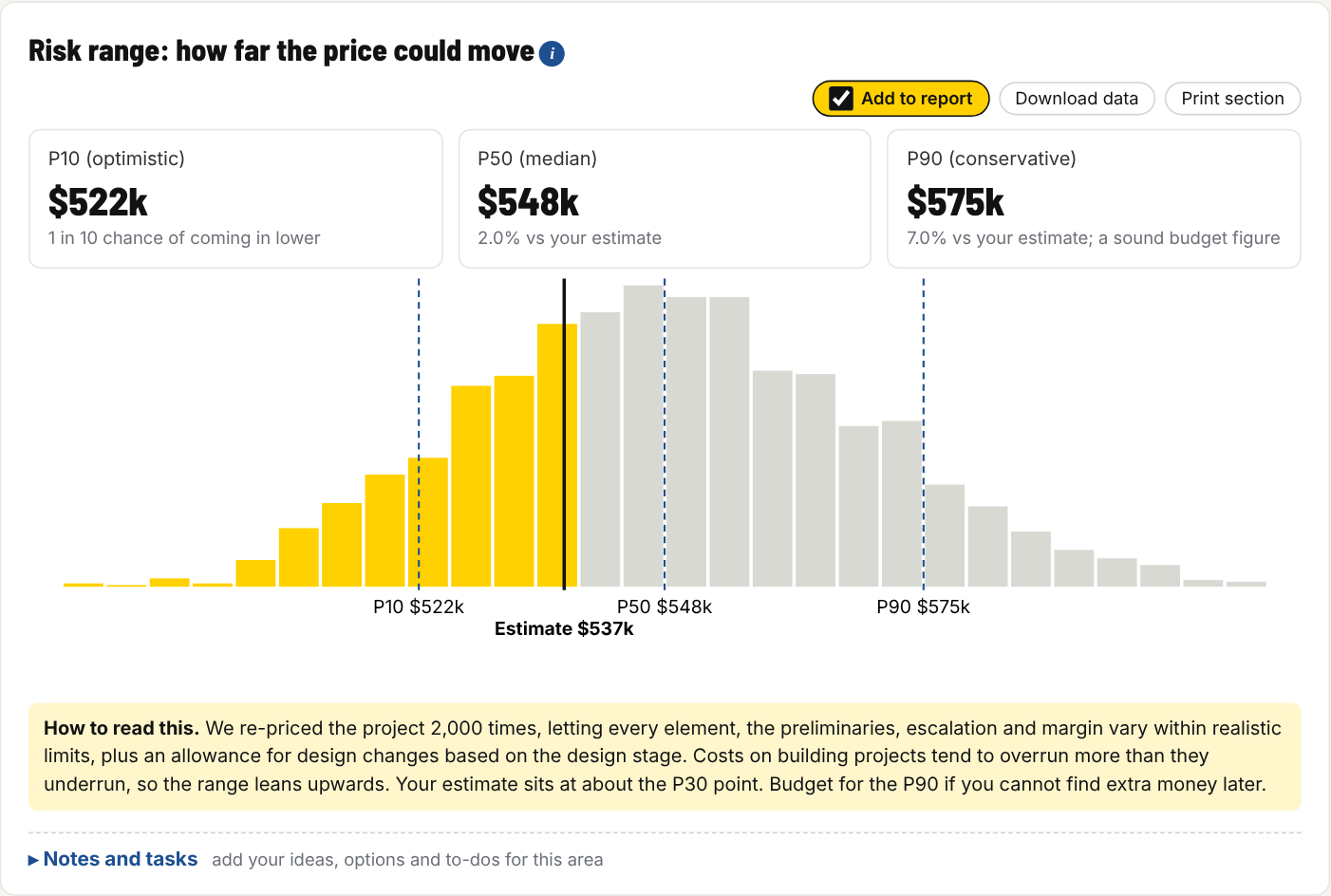
- How far could the price move? A likely range, so you know how much to hold back for surprises.
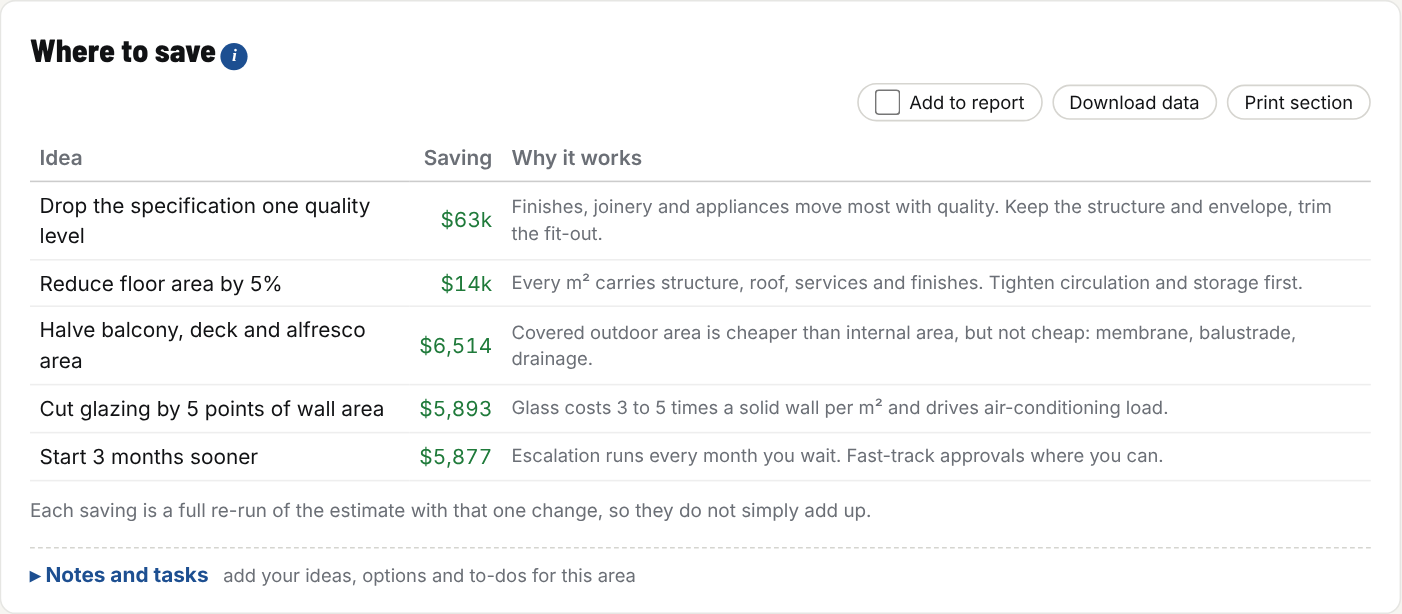
- Where can I save? The changes that save the most, priced for your house: the finish level, the floor area, the glazing, the deck.
- Is a builder's quote in the right range? Check a quote against what the building should cost.
What it looks like
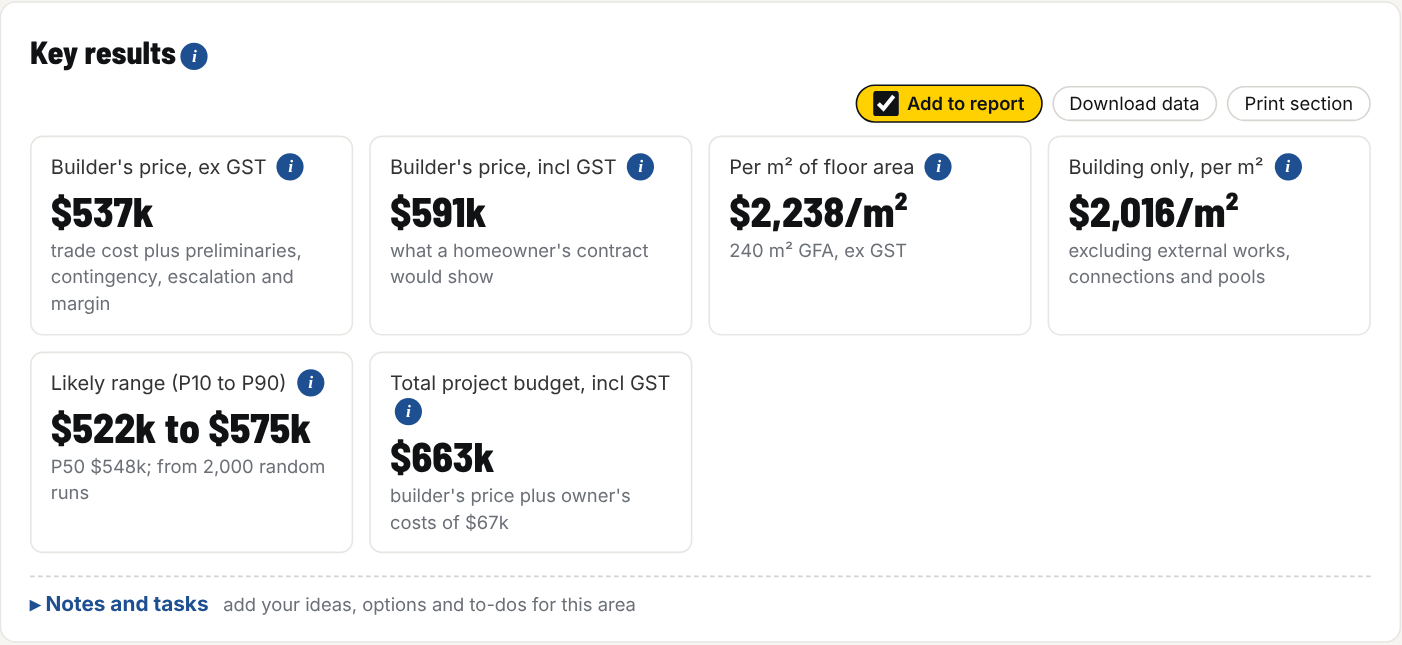
This is the standard-spec example: a four-bedroom, 240 m² single-storey house in Brisbane.
How it works
- Start from an example. Pick the one closest to what you want, from a granny flat or project home to a knockdown rebuild, a duplex or townhouses. Or answer a few questions and build your own.
- Make it yours. Change the size, storeys, bedrooms and bathrooms, the finish level (budget, standard, custom or prestige), the site and the region. There are 25 regions across every state and territory.
- Read the answer. The estimated price, the range, what moves it and where to save. Save each version (say single against double storey) and compare them side by side.
When you're ready to talk to builders, pass the price on to C24 Build Cost Plan, so you never type it in twice.
Words you'll see, in plain English
- Builder's price: what a builder would charge to build it, including their overheads and margin. It doesn't include the land, your fees or moving in.
- Finish level (spec): how good the fittings and finishes are. Budget is a standard project home; prestige is architect-designed with top-end finishes.
- Likely range: the price could reasonably land anywhere in this band. Budget for the top of it if you can't find extra money later.
Where it fits
There are four money toolkits, one for each point in your build. Start with the one for where you are now.
| When | Your question | Toolkit |
|---|---|---|
| Before you buy land | What will this house cost to build? | C27 Build Cost Estimator |
| Before you buy a development site | Will this project make a profit? | C26 Development Feasibility (coming soon) |
| Before you sign with a builder | Can I afford the whole thing, and which quote is right? | C24 Build Cost Plan |
| From signing to the keys | Where is my money going, and am I still on budget? | C25 Build Money Ledger |
What's in the Toolkit
- The C27 Build Cost Estimator, which runs in your web browser on your own computer. It works offline and your figures never leave it.
- 18 worked examples, from a granny flat to a small commercial building.
- A How to use tab and a Glossary inside the tool, plus a how-to guide (PDF) and a questions and answers sheet.
- Notes and tasks for every section, and "Check these figures" boxes where you tick that you've checked a rate, with the date and where you got it.
- Export to a spreadsheet, print to PDF, and a report you can take to a builder or broker.
- A licence key for up to three of your devices.
It's an estimate from typical rates, not a quote or a valuation. Before you commit, get firm quotes, and for bigger projects a quantity surveyor's estimate.
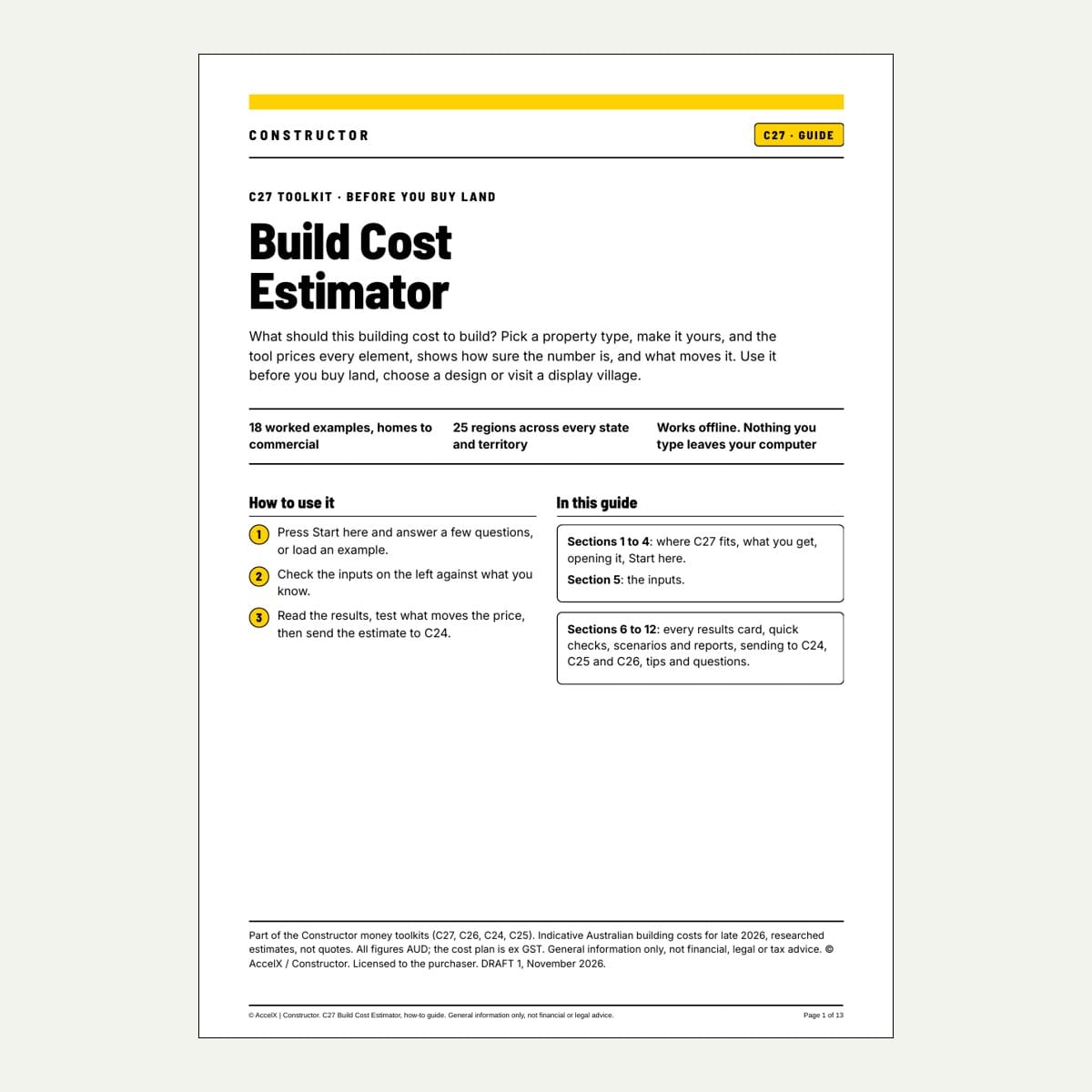
C27 - Build Cost Estimator Toolkit
$119.95 AUD
Form factor: Browser app (offline, private) + how-to guide, questions and answers, rates table, 18 examples, licence key for 3 devices
When to use: Before you buy land or pay for drawings
What the building you want should cost to build: every element priced, a likely range and where to save, in 25 regions.
C27 goes with the money chapters of The Home Owner's Guide to Building Without Regret.