

The day you sign a building contract, the money starts moving. A deposit, a base claim, a variation for extra power points, a PC item that cost more than the allowance. Your builder keeps books. Your lender keeps books. Usually nobody keeps them for you.
C25 Build Money Ledger is your own set of books for the build. It goes with the money chapters of The Home Owner's Guide to Building Without Regret.
What it is
C25 is a ledger with eleven pages, L1 to L11, covering the money from the day you sign until the landscaping is finished:
- L1 Opening position: what you plan to spend and where the money comes from, copied from your C24 Build Cost Plan.
- L2 Contract account: every price change and every payment to the builder.
- L3 Variations and L4 Allowances: every change, and every PC item and provisional sum until it is closed.
- L5 Contingency: every dollar drawn out and every saving put back.
- L6 Your cash and L7 Loans: what is left in each, with an interest forecast.
- L8 Living and move-in, L9 Further works: the costs after handover, so the driveway money is still there.
- L10 Progress claims: your payment schedule and the six checks before you pay.
- L11 Where am I now: one page that shows your surplus or shortfall at every stage.
It comes in two versions:
- PDF + Excel (A$59.95): a fillable PDF that adds itself up in Adobe Acrobat Reader, and an Excel workbook with the same formulas, plus a step-by-step filling it in guide with a worked example, Build Money Explained, Part 2: During the build, and its own questions and answers.
- Toolkit (A$119.95): everything above, plus the C25 Tracking Tool, a how-to guide, a Toolkit workbook and five worked examples. The tool runs in your web browser, on your own computer, and your figures never leave it.
What it does
Every time a price changes or money moves, you write one line. C25 does the rest: what the build costs now, what you've paid, what you still owe, how much contingency is left, and whether you still have enough to finish.
Here is the line people ask about most. Your contract is $480,000 and you've signed one variation at $480. The builder claims the base stage at 15% of the contract value now: 15% of $480,480 is $72,072. You do the six checks in L10, write the payment in L2, and write the same amount where the money came from, the loan or your cash. "Where am I now" updates itself.
The Toolkit turns the pages into a live dashboard. It flags a claim that is higher than its scheduled amount, shows when your contingency is going too fast, tracks interest on what you've drawn, and checks how much room you have left under your loan limit. You can add or delete rows on any table, because some builds need more lines than others.
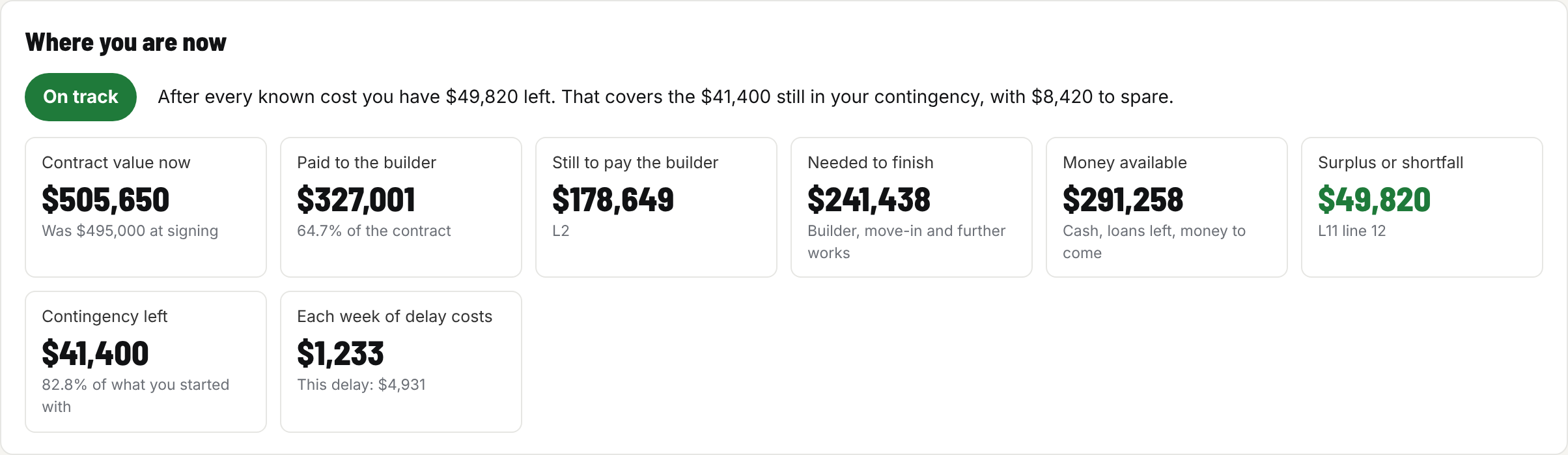
Where you are now, from the worked example at the enclosed stage. One answer, then the figures that matter most.
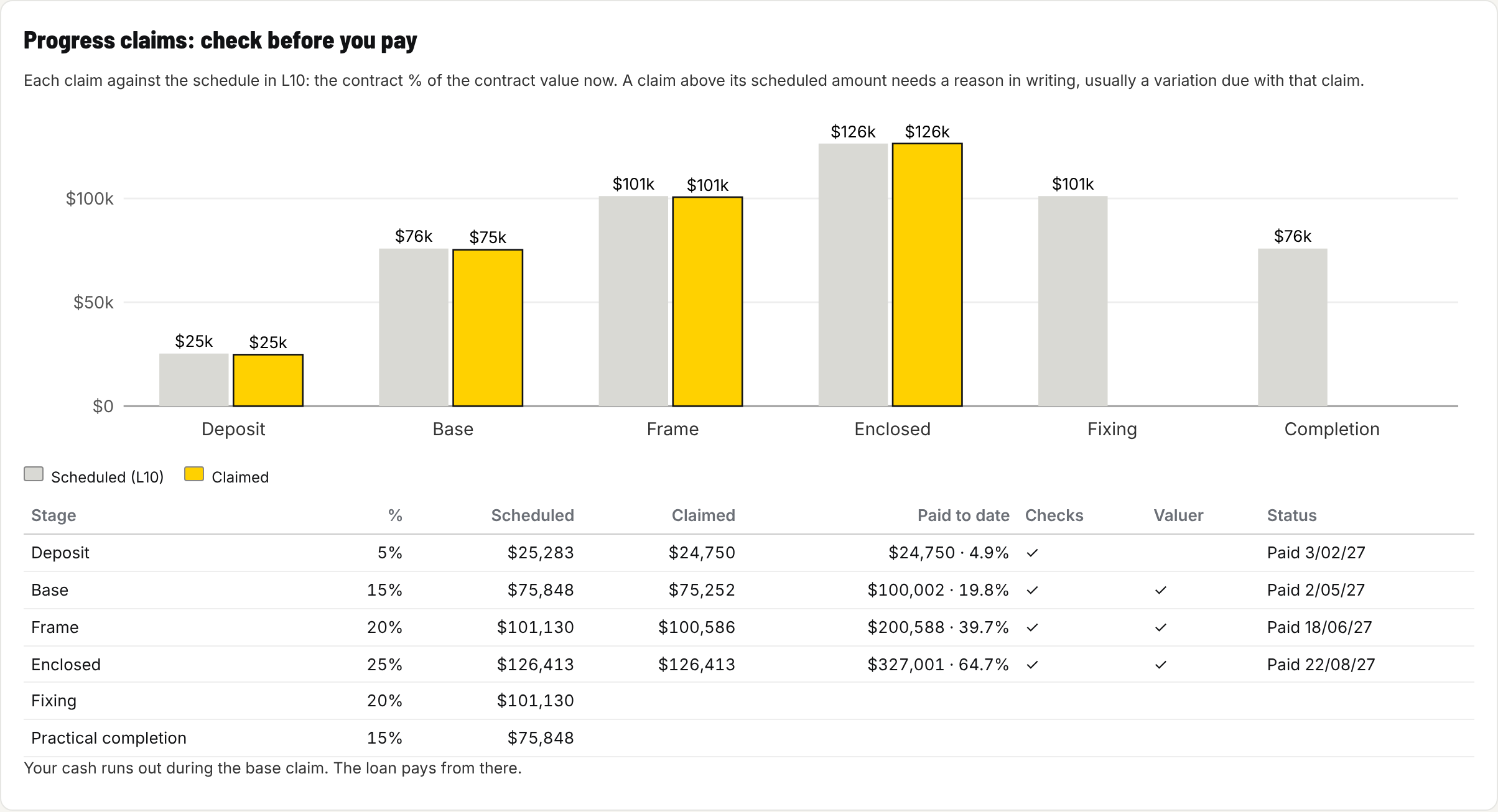
Progress claims against the schedule. A claim above its scheduled amount is flagged before you pay it.
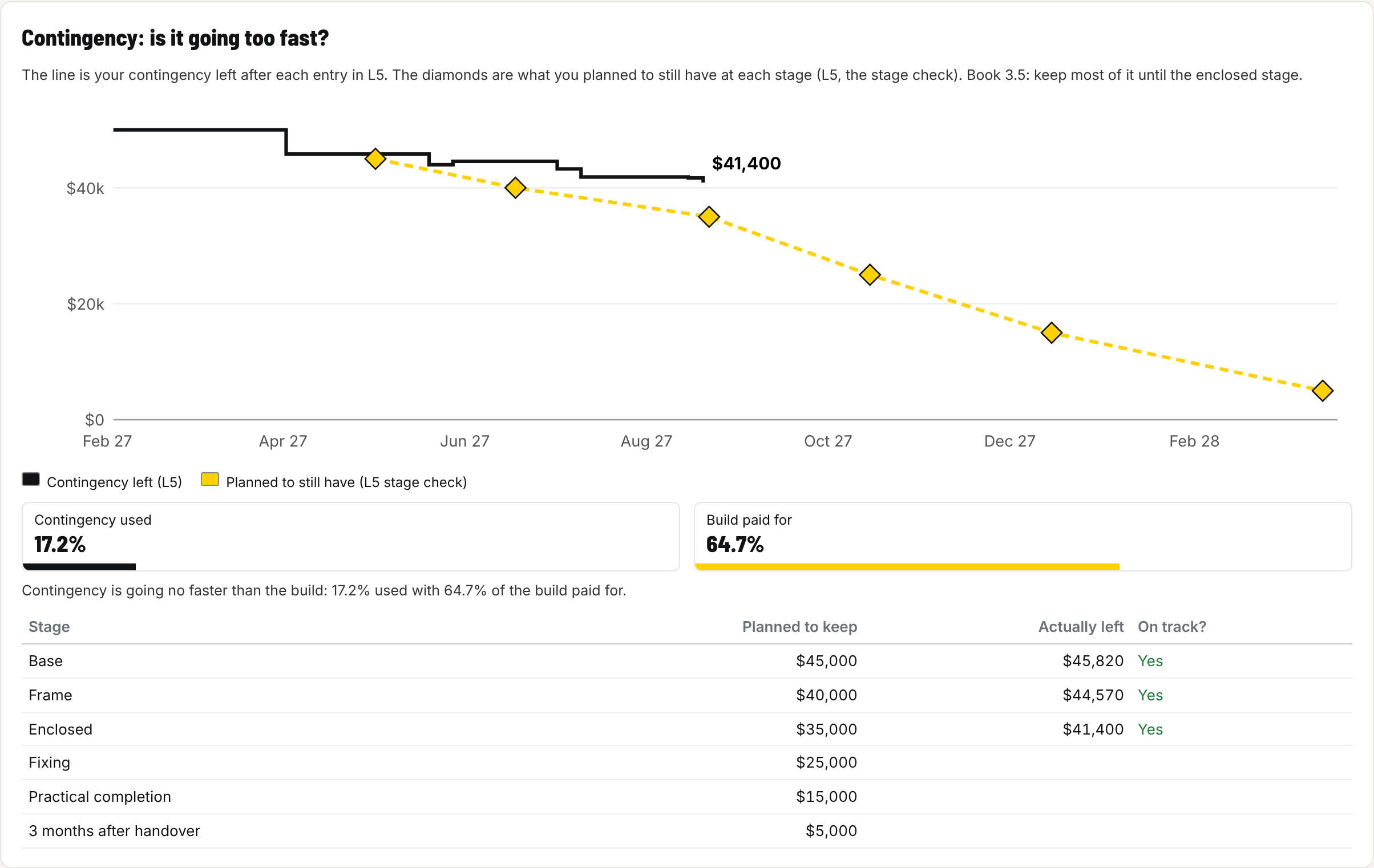
Contingency: is it going too fast? The line is what is left, the diamonds are what you planned to still have.
It also has a Build planner tab: every step from approvals to the end of the defects period, with the hold points where you shouldn't let work continue, or pay, until it has been checked. You set the dates and the status, and add, delete or reword tasks to suit your build. Each payment stage shows its claim beside it, so the time and the money sit together.
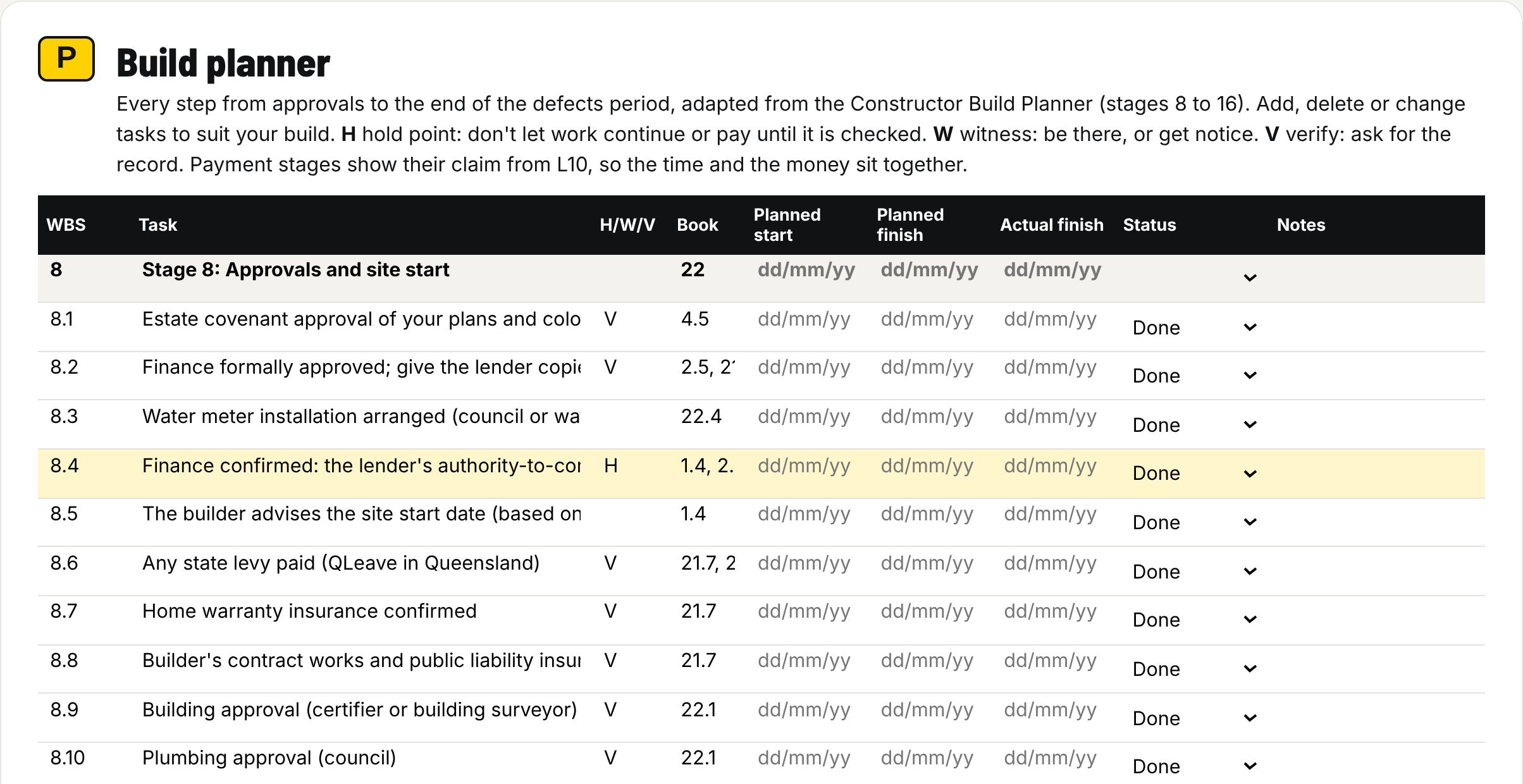
The Build planner. Hold points are highlighted, and each task has its dates and status.
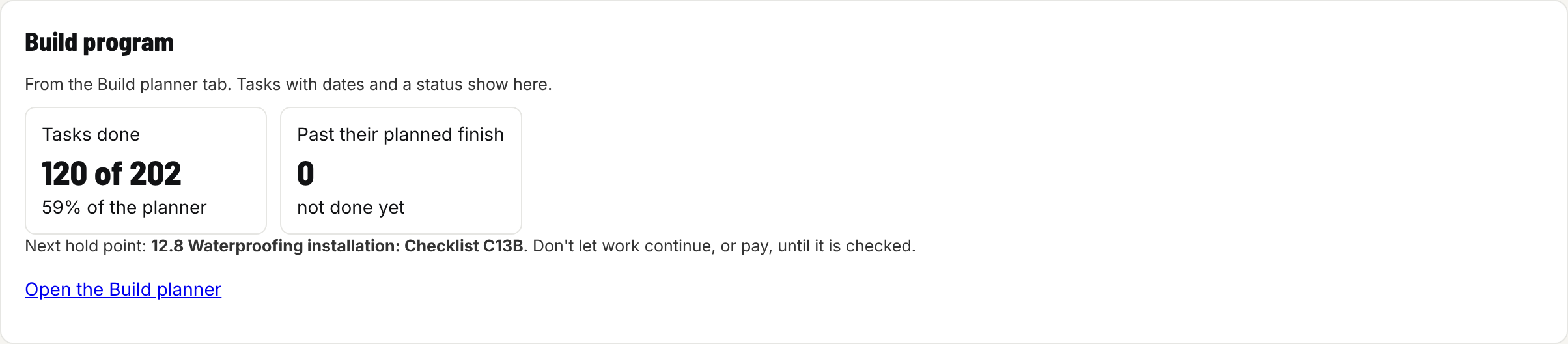
The Build program card on the dashboard: tasks done, tasks running late and the next hold point.
Who it's for
C25 is for anyone who has signed, or is about to sign, a contract to build a home to live in:
- first home buyers on a construction loan;
- families paying part of the build from savings, with the loan taking over later;
- anyone who wants to check each progress claim before paying it;
- people who have already started and want to know where they stand today.
When to use it
Start C25 on the day you sign. Fill in L1 from your C24 Build Cost Plan, then write a line each time something changes. Open it before every progress claim, at every stage, and after handover until the landscaping and the defects period are done.
Already started? It isn't too late. Fill in L1 as it was on the day you signed, enter the claims and variations so far, and it tells you where you stand.
Why you would use it
Because your contingency is a budget, not a bank account. If half of it is gone at the slab, you need to know while there is still time to do something about it, not at handover.
And because paying a claim is the one point where you have leverage. C25 makes you check the stage is really finished, the amount matches the schedule, and the paperwork is there, before the money goes.
How it helps you
- You always know what you still owe the builder and what you still have to pay it.
- You see a contingency problem early, while you can still change course.
- You check every claim before you pay it, not after.
- You keep the money for the move, the driveway and the fence safe from the build.
- You can give your lender or partner a clear report in a minute.
Five worked examples come with the Toolkit, from a $350,000 single storey home at frame stage to a $1.4 million architect design at base. Each one matches a C24 example, so you can see one build go from plan to ledger.
Which version suits you?
Both versions use the same eleven pages and the same sums, so they tell you the same thing. The difference is how much of the work they do for you.
| PDF + Excel (A$59.95) | Toolkit (A$119.95) | |
|---|---|---|
| Best for | Writing a line by hand or in a spreadsheet each time money moves | A live view of the build with checks done for you |
| Adds itself up | Yes, in Adobe Acrobat Reader or Excel | Yes, as you type |
| Filling it in guide with a worked example | Yes | Yes, plus a how-to guide for the tool |
| Build Money Explained, Part 2 | Yes | Yes |
| Flags a claim above its schedule | You do the six checks yourself | Yes, automatically |
| Contingency and cash charts | No | Yes |
| Add rows to any table | Fixed number of rows | Yes |
| Build planner with every hold point | No | Yes |
| Worked examples to load | One, in the guide | Five |
Start with the PDF + Excel if you want to keep it simple. If you later want the dashboard and the claim checks, you can upgrade to the Toolkit within 12 months for the difference in price (A$60). Planning and tracking the whole build? C24 and C25 together cost A$99.95 for both PDF + Excel versions, or A$203.95 for both Toolkits.
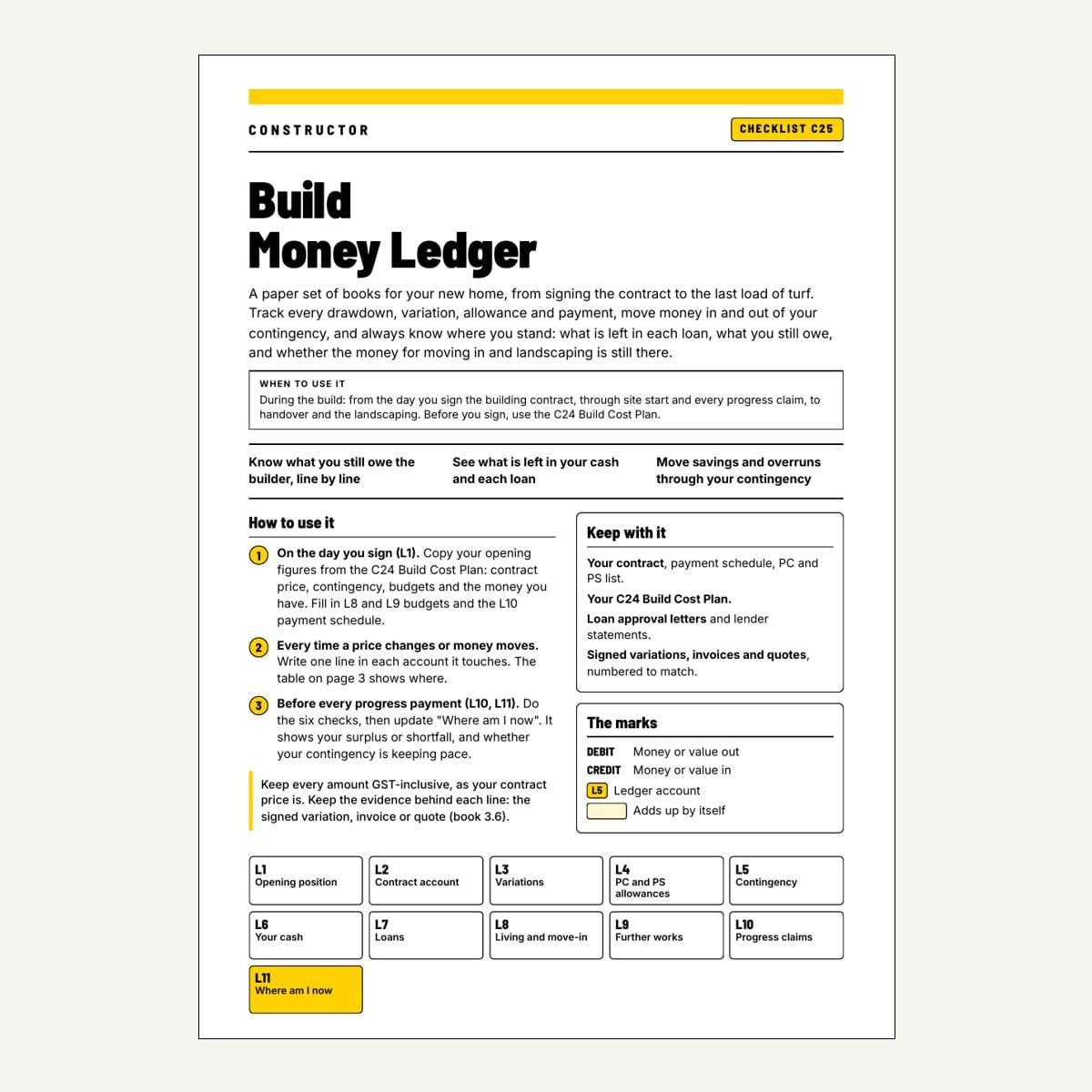
C25 - Build Money Ledger (PDF + Excel)
$59.95 AUD
Form factor: Fillable PDF + Excel workbook, Filling it in guide, Build Money Explained Part 2, questions and answers
When to use: From signing the contract to the keys and the landscaping
Your own set of books for the build: every claim, variation, allowance and dollar of contingency, and where you stand at every stage.
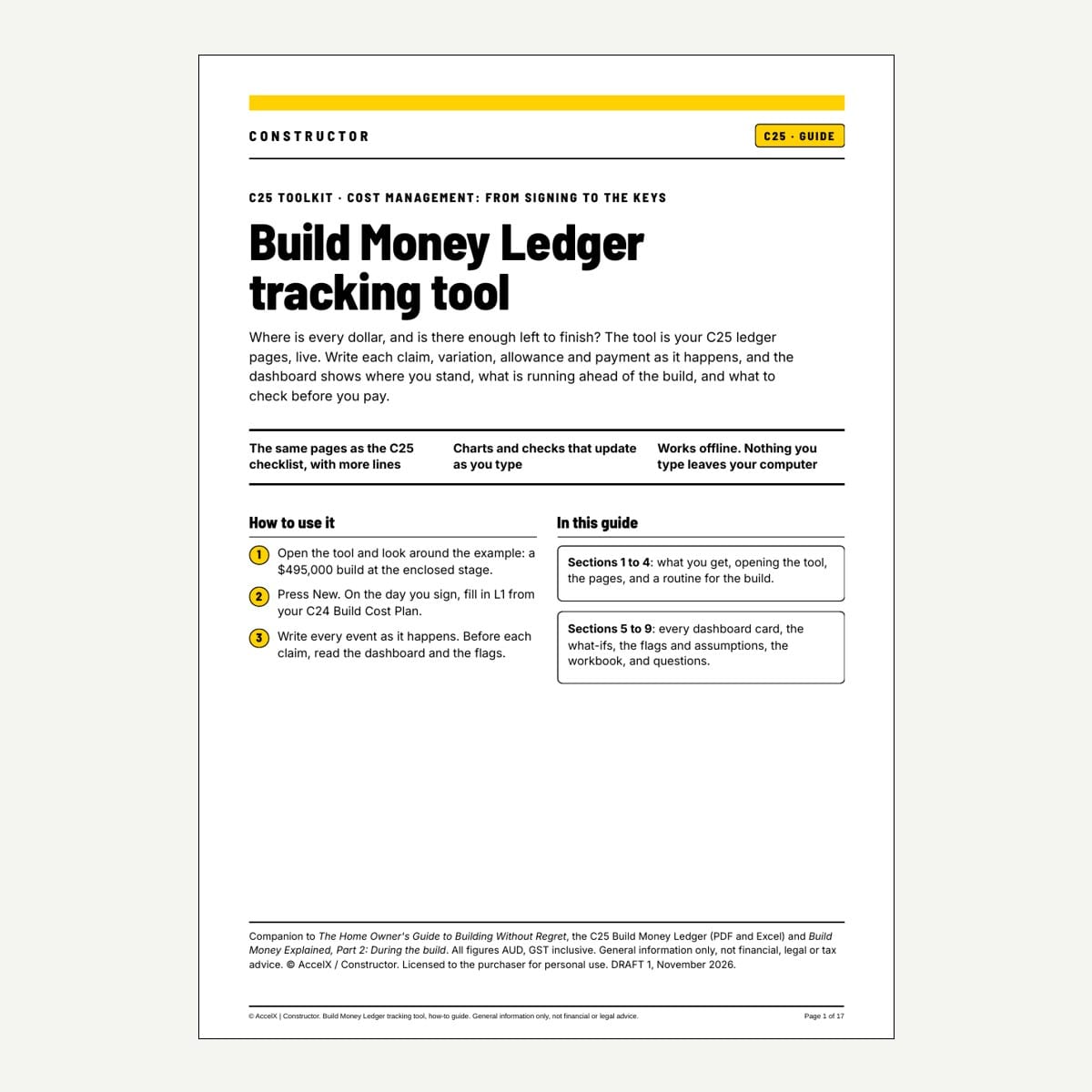
C25 - Build Money Ledger Toolkit
$119.95 AUD
Form factor: Browser app (offline, private) + how-to guide, Toolkit workbook, fillable PDF, five examples, licence key for 3 devices
When to use: From signing to the keys, when you want the checks done for you
Everything in the PDF + Excel version, plus a live dashboard, claim checks, contingency and cash charts, extra rows and a Build planner.
C25 is general information, not financial or legal advice. Check your figures with your lender, and get advice before you withhold any payment.


