

Introduction
In a world where efficiency and agility are the cornerstones of success, Kanban emerges as a beacon of clarity amidst the chaos of project management. Originally conceived in the bustling factories of Toyota by Taiichi Ohno, Kanban has transcended its automotive origins to become a global standard in various industries. In this article we dive into the heart of what is Kanban – a simple yet powerful tool for managing tasks and workflows with unparalleled efficiency and organisation.
The journey begins with a dive into Kanban's rich history, tracing its roots back to the innovative strategies of Toyota's production system. We then look at the core principles that make Kanban a unique and effective management tool, highlighting its emphasis on visualisation, workflow, and most importantly, the concept of Work in Progress (WIP) limits. Understanding these principles is crucial for anyone looking to implement Kanban in their daily operations.
But Kanban is more than just a set of principles; it's a practical system that can be implemented in various settings. Our guide provides a step-by-step approach to setting up your Kanban system, integrating it into your daily operations, and overcoming common challenges. Additionally, we explore the digital world of Kanban, showcasing popular software solutions that bring the methodology to life through web and mobile platforms, and discuss how to choose the right one for your specific business needs.
As we navigate through these topics, we keep our focus on the tangible benefits of Kanban: increased productivity, enhanced efficiency, and a clear path to continuous improvement. By the end of this article, you will not only understand what Kanban is and how it works but also be equipped with the knowledge to implement it effectively in your daily operations, transforming chaos into clarity.
What is Kanban? – Understanding the Basics
Kanban, a term that literally means 'visual board' in Japanese, is a concept that revolutionised the way tasks and workflows are managed in various industries. It's a lean method to manage and improve work across human systems.
This approach aims to manage work by balancing demands with available capacity and improving the handling of system-level bottlenecks.
At its core, Kanban is about visualisation. It allows teams to see the work that needs to be done, the work in progress, and the work that has been completed. It's commonly represented by a Kanban board, a simple tool that can be as basic as a whiteboard with sticky notes or as sophisticated as a digital app. The board is divided into columns, typically labeled 'To Do', 'In Progress', and 'Done', though these can be customised based on the project's or team's needs.
The beauty of Kanban lies in its simplicity and flexibility. It can be applied in a wide range of environments, from software development and IT to marketing, HR, and beyond. Regardless of the industry, the basic premise remains the same: visualise your work, limit your work in progress, and maximise efficiency.
Kanban emphasises continuous delivery without overburdening the team members. One of its key components is the Work in Progress (WIP) limits. WIP limits are crucial in ensuring that teams don't take on too much at once and that each task is given the attention it deserves. This approach helps in identifying bottlenecks and inefficiencies in the process, paving the way for continuous improvement.
By implementing Kanban, teams can achieve better flexibility, increased productivity, and improved visibility of work. It helps in creating a more harmonious workflow, where work items flow through the process efficiently and effectively. The ultimate goal is to create a balanced and sustainable workflow that delivers value continuously and predictably.
The History of Kanban: Taiichi Ohno and Toyota's Innovation
Kanban's journey begins in the post-World War II era, within the walls of Toyota's manufacturing plants. It was here that Taiichi Ohno, an industrial engineer and businessman, conceptualised the Kanban system as a part of the lean manufacturing approach. Inspired by supermarket shelf-stocking techniques, Ohno devised a system to improve efficiency and responsiveness in Toyota's production process.
The central idea of Kanban in Toyota was to maintain an optimal level of stock based on actual demand, thereby reducing waste and increasing efficiency. In this system, a 'Kanban' (which can be a card, a board, or a digital signal) is used to signal the need for an item. This ensured that parts were only produced or supplied when there was a demand, a radical shift from the traditional forecasting methods.
The impact of Kanban on Toyota was profound. It not only streamlined the manufacturing processes but also led to significant improvements in quality and flexibility. The success of this system caught the attention of industries worldwide, leading to its adaptation beyond manufacturing.
Taiichi Ohno's philosophy extended beyond mere production techniques. He emphasised respect for people, continuous improvement (Kaizen), and the importance of a collaborative and adaptive work environment. These principles became the bedrock of the Kanban system and have been influential in shaping modern project management practices.
From Toyota's factories to today's diverse industries, Kanban has evolved while maintaining its core principles. It's a testament to the system's adaptability and relevance in various sectors, from IT and software development to healthcare and education.
Understanding this history is crucial for anyone looking to implement Kanban in their operations. It provides insights into the system's foundational principles and offers a perspective on how to adapt these principles to different work environments.
The Core Principles of Kanban
Kanban, though simple in concept, is underpinned by a set of core principles that guide its effective implementation. These principles are the foundation of Kanban's functionality and are crucial for any team or organisation looking to adopt this methodology.
- Visualize the Work: The first step in implementing Kanban is to make the work visible. This typically involves a Kanban board with cards or digital equivalents to represent tasks. By visualizing tasks, team members gain a clear understanding of the workflow and can easily identify which tasks are at what stage in the process.
- Limit Work in Progress (WIP): This principle involves limiting the amount of work that can be in progress at any given time. WIP limits help prevent overloading team members and ensure that focus is maintained on completing tasks before starting new ones. This leads to more efficient workflows and faster completion times.
- Manage Flow: Managing the flow of work is about ensuring that tasks move smoothly through the workflow. It involves monitoring the work in progress and identifying bottlenecks or areas where the process can be improved.
- Make Process Policies Explicit: In Kanban, the rules and processes are clearly defined and made visible to all team members. This includes the criteria for moving tasks from one stage to the next and how tasks are assigned. Clear policies ensure that everyone is on the same page and reduces ambiguity in task management.
- Feedback Loops: Implementing regular feedback loops, such as daily stand-up meetings or review sessions, is vital in Kanban. These feedback mechanisms help in identifying issues early and adjusting the workflow for continuous improvement.
- Collaborative and Adaptive: Kanban encourages collaboration among team members and adaptability to changes. The system is not static; it evolves based on the team’s needs and feedback. This flexibility is one of the strengths of Kanban, allowing it to be applied in various environments.
- Continuous Improvement: A core tenet of Kanban is the idea of Kaizen, or continuous improvement. This involves constantly evaluating and improving the workflow to increase efficiency and productivity.
Understanding and implementing these principles is key to successfully using Kanban. They provide a framework for a more efficient and organized approach to managing tasks and projects, leading to improved productivity and team dynamics.
Setting Up Your Kanban System: A Step-by-Step Guide
Implementing a Kanban system can be a game-changer for teams seeking to improve their workflow and productivity. Here's a practical guide to setting up your own Kanban system:
- Choose Your Kanban Board: Decide whether you want a physical board (like a whiteboard with sticky notes) or a digital board (using Kanban software). Each has its advantages; physical boards are great for co-located teams, while digital boards offer more flexibility and are ideal for remote teams.
- Design Your Workflow: Your board should reflect the stages that a task goes through from start to finish. Common stages include 'To Do', 'In Progress', and 'Done', but you can customize these based on your team’s specific workflow.
- Add Tasks to the Board: Represent tasks with cards or digital equivalents. Each card should contain key information about the task, such as the task description, the person responsible, and any deadlines.
- Implement WIP Limits: Set limits on the number of tasks that can be in each stage of the workflow at one time. This prevents overloading team members and helps identify bottlenecks.
- Monitor and Optimize the Workflow: Regularly review the board to monitor the progress of tasks. Use this as an opportunity to identify areas for improvement and adjust WIP limits or workflow stages as necessary.
- Encourage Team Collaboration: The Kanban board should be a tool for team collaboration. Encourage team members to discuss tasks, provide updates, and work together to move tasks through to completion.
- Iterate and Improve: Kanban is an evolving process. Continuously seek feedback from the team and look for ways to refine and improve the Kanban system.
Setting up a Kanban system is the first step towards creating a more organized and efficient workflow. It not only helps in task management but also fosters a culture of continuous improvement and collaboration within teams.
Implementing Kanban in Your Daily Operations
Transitioning to a Kanban system can significantly enhance your team's productivity and efficiency. Here's how to effectively implement Kanban in your daily operations:
- Start with Training: Ensure your team understands the basics of Kanban. Training sessions, workshops, or even self-study materials can be helpful in getting everyone up to speed.
- Customize Kanban to Fit Your Needs: Kanban is not a one-size-fits-all solution. Adapt the Kanban principles to fit the unique needs and challenges of your team and projects.
- Establish Clear Goals: Define what you want to achieve with Kanban. Whether it's reducing task completion time, improving quality, or enhancing team collaboration, having clear goals will guide your implementation.
- Engage the Team: Involve your team in the setup process. This includes designing the board, defining workflow stages, and setting WIP limits. Team involvement ensures buy-in and better understanding of the system.
- Start Small and Scale: Begin with a pilot project or a single team. This allows you to test the waters, make adjustments, and demonstrate the benefits of Kanban before scaling it up to other teams or projects.
- Use the Right Tools: While a physical board can be a great starting point, digital Kanban tools offer more flexibility, especially for remote teams. Choose tools that best fit your team's working style and environment.
- Monitor and Adjust Regularly: Regularly review the effectiveness of your Kanban system. Make adjustments as needed to improve workflow and address any challenges that arise.
- Cultivate a Continuous Improvement Culture: Encourage your team to provide feedback and suggest improvements. Kanban is not just about managing work; it's about continuously improving how work is managed.
By carefully implementing Kanban, you can transform your work processes, making them more transparent, efficient, and adaptable to change. This not only leads to better project outcomes but also fosters a more collaborative and agile work culture.
Exploring Popular Kanban Software: Web and Mobile Solutions
In today's digital era, leveraging the right Kanban software is key to maximizing the methodology's benefits. Here's a guide to some of the popular Kanban software solutions, especially those offering both web and mobile app functionalities:
- Trello: Known for its user-friendly interface, Trello offers a simple and intuitive way to organize tasks and projects using boards, lists, and cards. It's great for individuals and teams starting with Kanban.
- Asana: While Asana is more than just a Kanban tool, it offers robust Kanban features. It's ideal for teams looking for a comprehensive project management solution with strong Kanban capabilities.
- Jira: Popular in software development, Jira provides advanced Kanban features suited for complex projects. It offers detailed reporting and customizable workflows.
- Monday.com: This tool stands out for its customization options, making it suitable for various project types. It provides a visually appealing Kanban experience with powerful integrations.
- Kanbanize: Focused on providing advanced Kanban features, Kanbanize is geared towards teams seeking in-depth analytics and workflow automation.
- LeanKit: LeanKit caters to larger organizations and complex projects, offering extensive Kanban features, including advanced board customization and reporting.
When choosing Kanban software, consider the following:
- Ease of Use: The software should be intuitive and easy to use.
- Customization: Look for the ability to customize the tool to fit your specific workflow and needs.
- Integration: Ensure the software integrates well with other tools your team uses.
- Scalability: Choose software that can grow with your team and handle increased complexity over time.
- Support and Community: Consider the level of customer support provided and whether there's an active user community.
Choosing the right Kanban software can significantly impact the efficiency and success of your Kanban implementation. It's important to evaluate each option carefully to find the best fit for your team's unique needs and goals.
Leveraging Kanban Tools and Technologies
Incorporating the right tools and technologies is crucial for maximizing the benefits of Kanban. Here are some tips and strategies for leveraging Kanban tools effectively:
- Choose the Right Tool: Select a Kanban tool that aligns with your team's size, complexity, and specific needs. Consider factors like user-friendliness, customization options, integration capabilities, and scalability.
- Integrate with Existing Systems: To maximize efficiency, ensure that your chosen Kanban tool integrates seamlessly with other tools and systems your team already uses, such as communication platforms, document management systems, and CRM software.
- Customize Your Kanban Board: Tailor your Kanban board to reflect your team's unique workflow. This might include customizing columns, adding specific labels or tags, and setting up filters to manage tasks effectively.
- Use Advanced Features: Take advantage of advanced features offered by Kanban tools, such as automation rules, analytics, and reporting capabilities. These features can help streamline processes and provide valuable insights into team performance and workflow efficiency.
- Train Your Team: Ensure your team is well-trained in using the Kanban tool. Proper training can significantly enhance user adoption and the overall effectiveness of the tool.
- Regularly Review and Adapt: Continuously evaluate the effectiveness of your tools and be open to making changes. As your team grows and evolves, your tools should adapt to meet new challenges and requirements.
By thoughtfully selecting and utilizing Kanban tools and technologies, teams can significantly enhance their workflow efficiency and overall project management capabilities.
Measuring and Sustaining Success with Kanban
Implementing Kanban is just the beginning. To truly benefit from it, it's crucial to measure success and sustain improvements over time. Here’s how you can achieve this:
- Track Key Performance Metrics: Identify and track metrics that matter most to your team's productivity and efficiency. Common metrics include lead time, cycle time, throughput, and work item age.
- Use Analytics Tools: Leverage analytics tools provided by your Kanban software to gain insights into your team’s performance. These tools can help identify bottlenecks, predict future trends, and guide decision-making.
- Regular Reviews and Adaptation: Conduct regular retrospective meetings to review what’s working and what’s not. Use these insights to adapt and refine your Kanban process continually.
- Encourage Team Feedback: Foster an environment where team members feel comfortable providing feedback. Their insights are invaluable in making continuous improvements.
- Celebrate Achievements: Recognize and celebrate when goals are met or when improvements are made. This boosts morale and reinforces the value of the Kanban system.
- Stay Committed to Continuous Improvement: Kanban is not a set-and-forget system. Embrace the philosophy of continuous improvement (Kaizen) to keep evolving and adapting your processes.
By consistently measuring and refining your Kanban process, you can sustain and build upon the initial successes, leading to long-term efficiency and productivity gains for your team.
Conclusion
In summary, this article has taken you on a journey through the world of Kanban. From its humble origins at Toyota to its current status as a global project management powerhouse, Kanban stands as a testament to efficiency, adaptability, and continuous improvement.
Whether you're a small team or a large organization, the principles of Kanban can be tailored to fit your unique needs, offering a clear path to streamlined workflows and enhanced productivity. By embracing Kanban, you can turn the chaos of unmanaged tasks into an organised and efficient process, propelling your projects and team dynamics towards project success.
Key Takeaway Points:
- Kanban's Origins: Born in Toyota's factories, Kanban revolutionized production efficiency.
- Principles of Kanban: Visualization, WIP limits, flow management, explicit processes, feedback loops, collaboration, and continuous improvement.
- Setting Up a Kanban System: Choose your board, design your workflow, add tasks, implement WIP limits, monitor, and adapt.
- Implementing Kanban: Tailor Kanban to fit your team, engage everyone in the process, start small, and gradually expand.
- Choosing Kanban Software: Consider factors like ease of use, customization, integration, scalability, and support.
- Leveraging Technology: Use digital tools to enhance Kanban's effectiveness.
- Measuring Success: Track key metrics, use analytics tools, encourage feedback, and remain committed to continuous improvement.
Frequently Asked Questions:
- What is Kanban?
- Kanban is a visual project management method originating from Toyota's production system, focusing on workflow efficiency and adaptability.
- How does Kanban differ from other project management methodologies?
- Unlike traditional methodologies, Kanban emphasizes continuous delivery without overburdening team members, focusing on visualization, WIP limits, and flow management.
- What are the core principles of Kanban?
- Key principles include visualizing work, limiting work in progress, managing workflow, making process policies explicit, utilizing feedback loops, encouraging collaboration, and striving for continuous improvement.
- How do you set up a Kanban system?
- Start by choosing a physical or digital board, design your workflow stages, add tasks, implement WIP limits, and regularly review and adapt the system.
- What are some popular Kanban software options?
- Trello, Asana, Jira, Monday.com, Kanbanize, and LeanKit are some popular options, each offering unique features and functionalities.
- How do you measure success with Kanban?
- Success is measured through key performance metrics like lead time, cycle time, throughput, and work item age, combined with regular reviews and feedback.
 Anthony Painter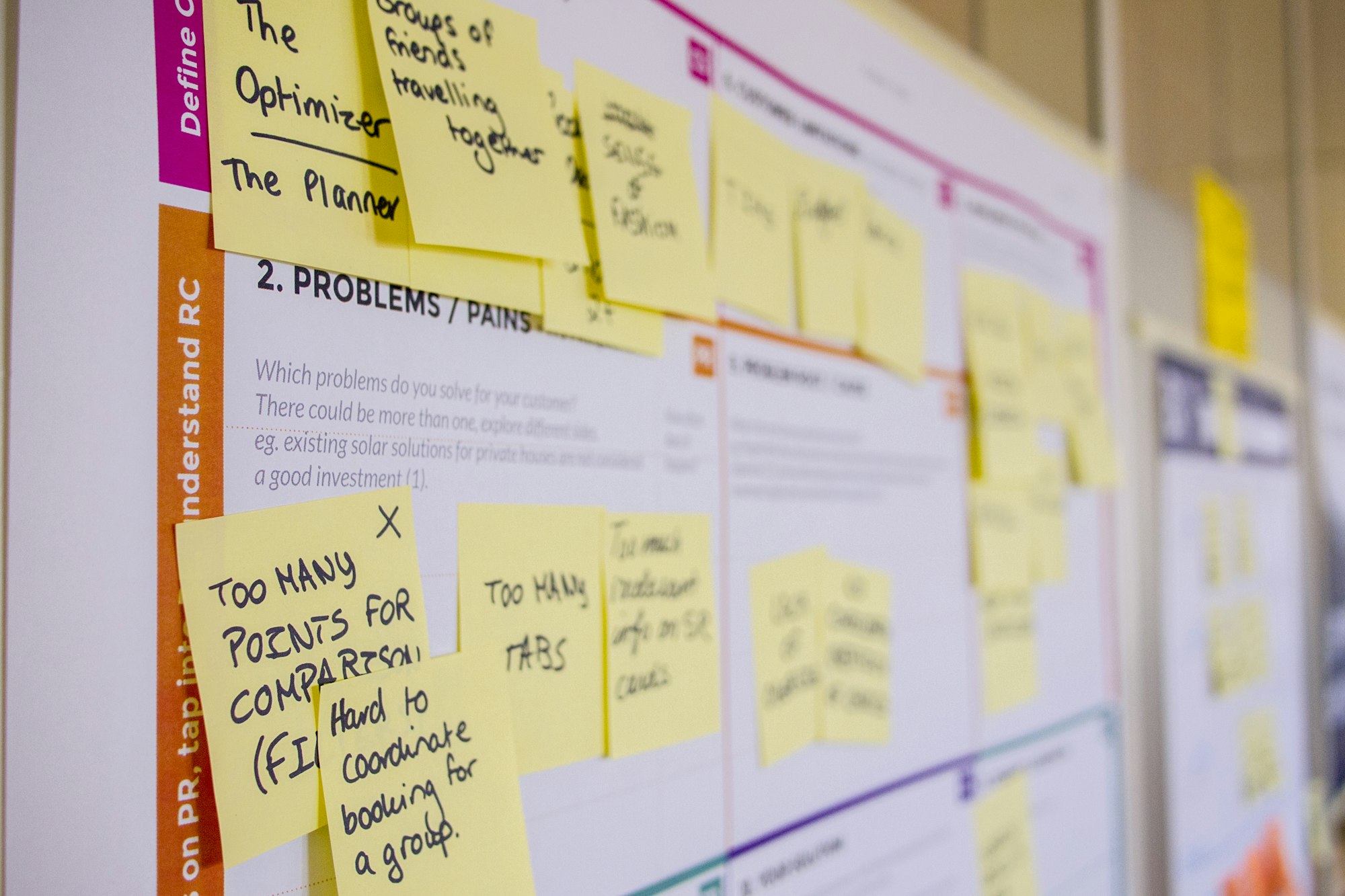
 Anthony Painter
 Anthony Painter
 Anthony Painter
 Anthony Painter
 Anthony Painter