

The colour selection appointment is where most upgrade costs on a new home are agreed. It often runs three hours or more, in one sitting, with a consultant who knows the price list far better than you do. Every choice sounds reasonable on its own: a better benchtop, bigger floor tiles, a few more power points. The trouble is the total. Most people walk out not knowing what they've just added to their contract.
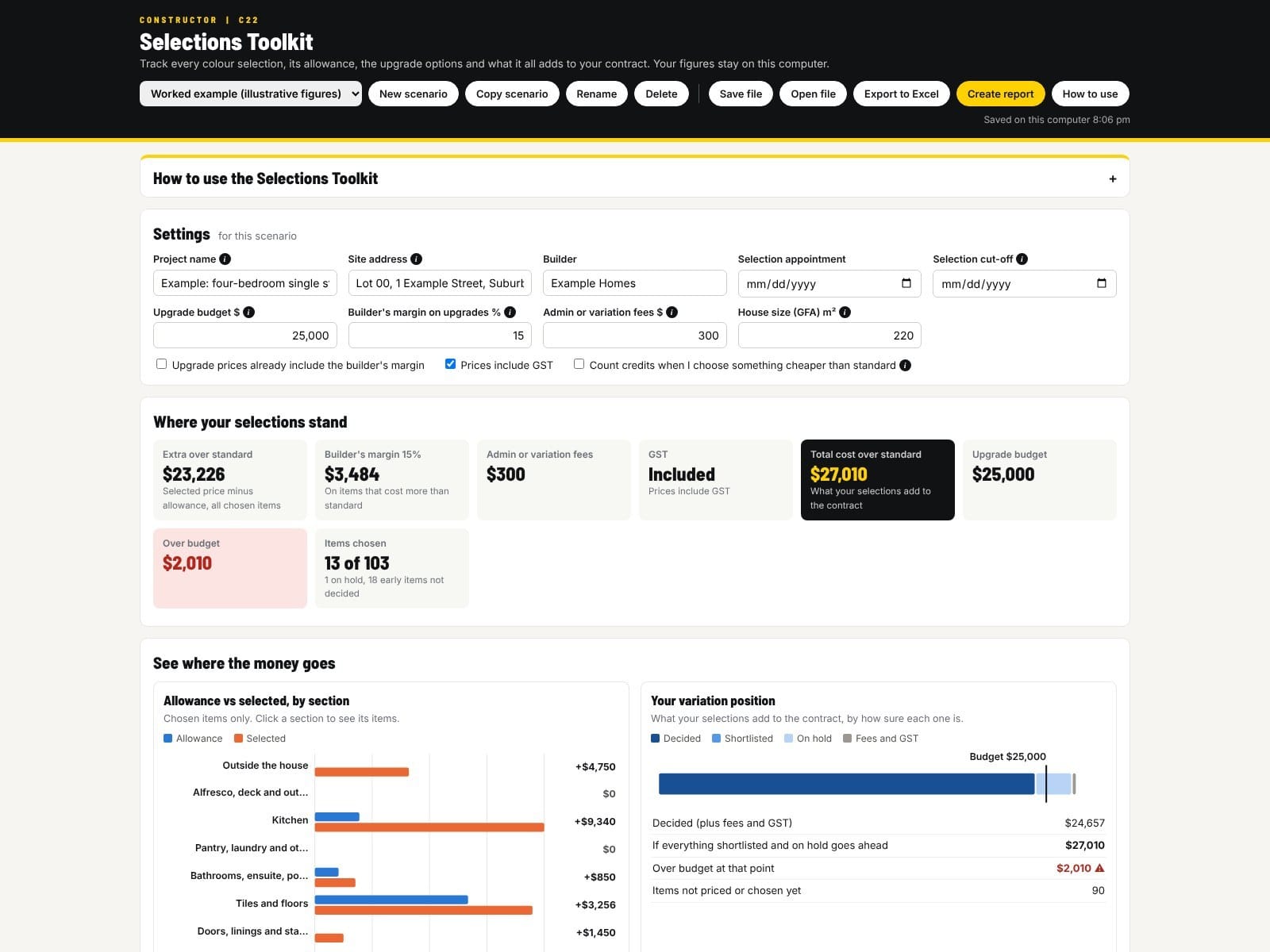
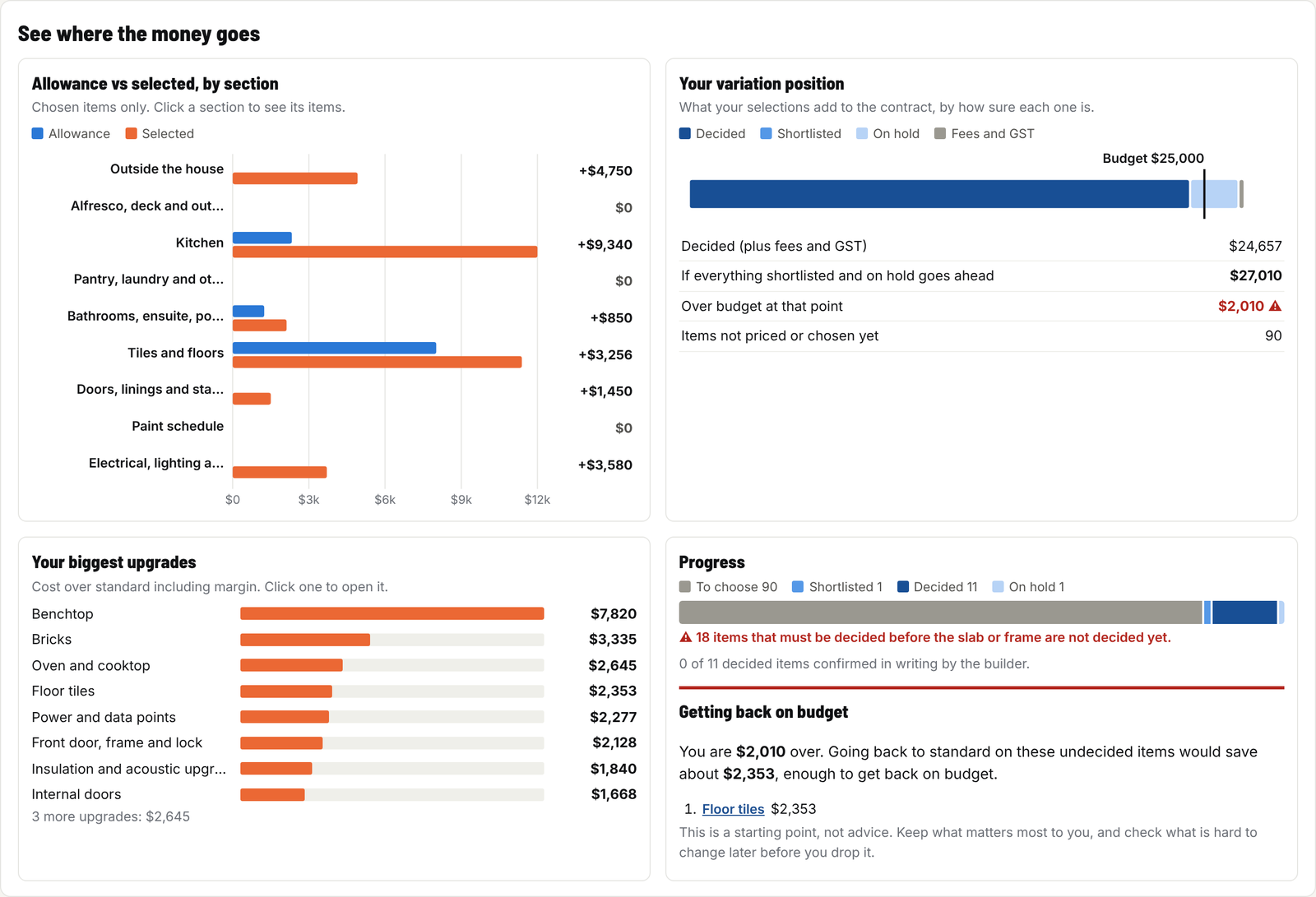
In the worked example that comes with the C22 Selections Toolkit, a family sets an upgrade budget of $25,000. They choose upgrades worth $23,226 over the builder's standard. That looks fine until the builder's 15% margin and the admin fee go on top: the real figure is $27,010, about $2,000 over budget. The toolkit shows that on screen while you're still choosing, and shows which undecided items would get you back on budget.
The Selections Toolkit is included with the C22 Colour Selections checklist. Here's how it works.
What the toolkit does
- Keeps every selection in one place. 103 typical items in 10 sections, in the order most selection studios run the appointment, from the roof and bricks to tapware, tiles, paint and power points. Add, rename or remove items to match your builder's specification.
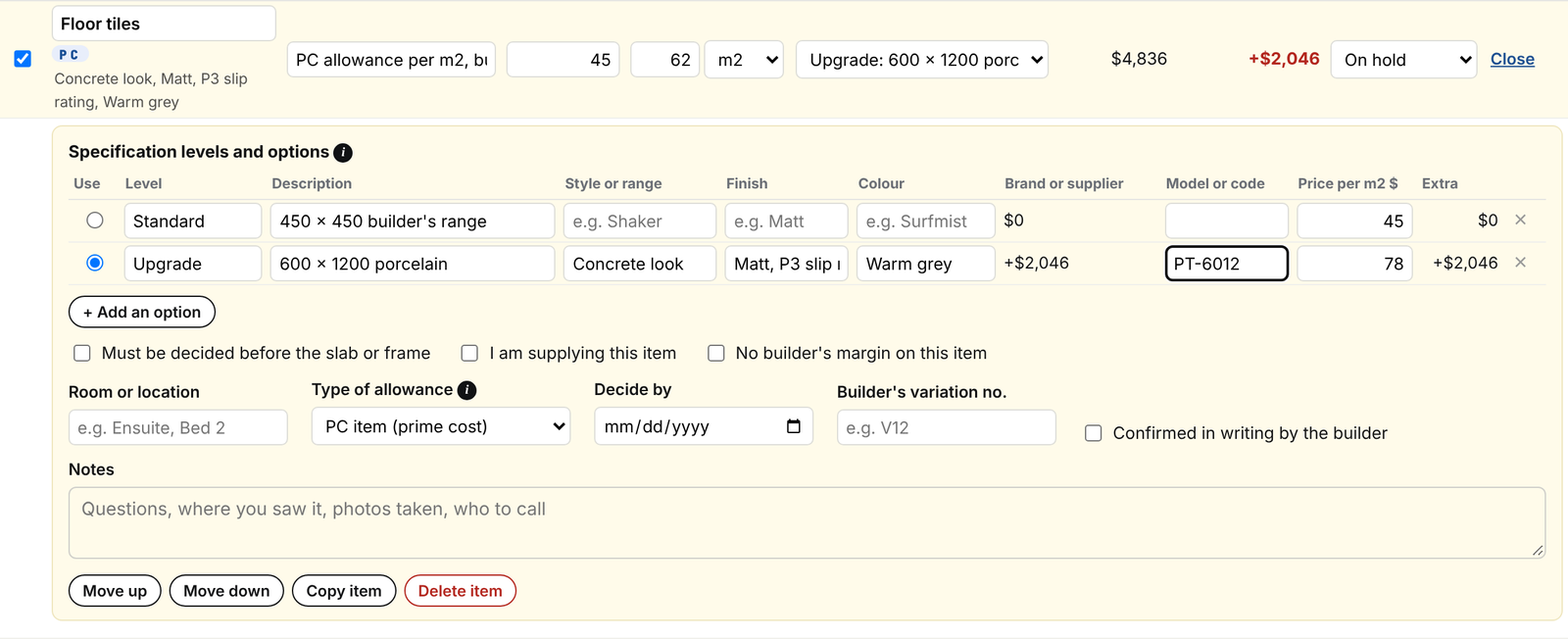
- Prices every option against the allowance. For each item, enter the builder's standard and its allowance: a fixed inclusion, a PC (prime cost) allowance or a provisional sum. Then add each upgrade you're pricing, with its style, finish, colour, supplier, code and price.
- Does the sums. The extra over standard, the builder's margin, admin or variation fees and GST, item by item and in total, against your upgrade budget.
- Shows where the money goes. Charts of allowance against selected by section, your biggest upgrades, how sure each dollar is, and your progress.
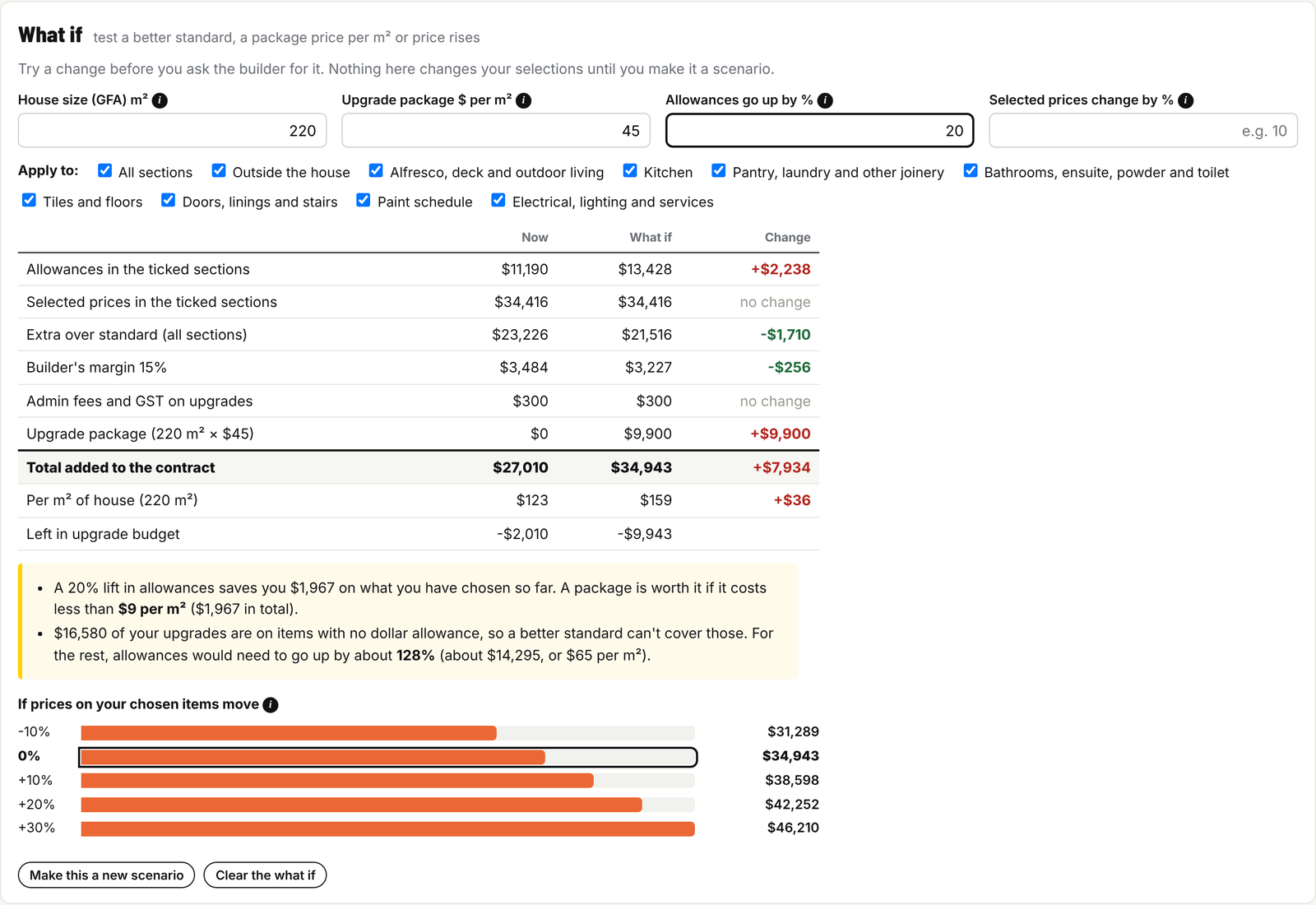
- Answers "what if?" What a price rise does, what an upgrade package per m² would cost on your house, and how much of a lift in allowances would cover your upgrades.
- Keeps track of the deadlines. Decide-by dates with overdue flags, early items that must be decided before the slab or frame, the builder's variation number and whether it's confirmed in writing.
What it looks like
How to use it
- Activate it. Download the toolkit from your purchase page ("Access the purchase" in your receipt email) and copy your licence key from the same page. Open the file in Chrome, Edge, Safari or Firefox and paste the key the first time. It works on up to three of your devices, and offline after that.
- Settings. Enter your project name, site address, house size, your upgrade budget, the builder's margin on upgrades and any admin fees. Ask your builder for the margin and fees in writing.
- Standard and allowance. Work through your specification. For each item, copy what it includes and its allowance. Mark PC items and provisional sums, and the items that must be decided early.
- Price the options. Before or at the appointment, add each upgrade you're considering with its price. Choose the one you're going with and set its status: To choose, Shortlisted, Decided or On hold.
- Report and keep it. Create a report to take to the appointment or send to your builder, export to Excel, and use Save file to keep a backup.
Want to try a different direction, say a natural stone benchtop and no ducted air? Copy the scenario, make the changes and compare the totals side by side.
Before the appointment: C21A
If your appointment is still weeks away, start with the free C21A Colour Selection Prep Guide. It covers what you'll be asked to choose, where to see it first and what it can cost, so you walk in with a shortlist rather than a blank page. Its upgrade cost register uses the same headings as the toolkit.
What you get with C22
- The C22 Colour Selections checklist: every choice at the appointment, item by item, what to record and what to get in writing before you sign. Fillable, or print it.
- The C22 Selections Toolkit, which runs in your web browser. Your figures stay on your device; nothing is sent to us.
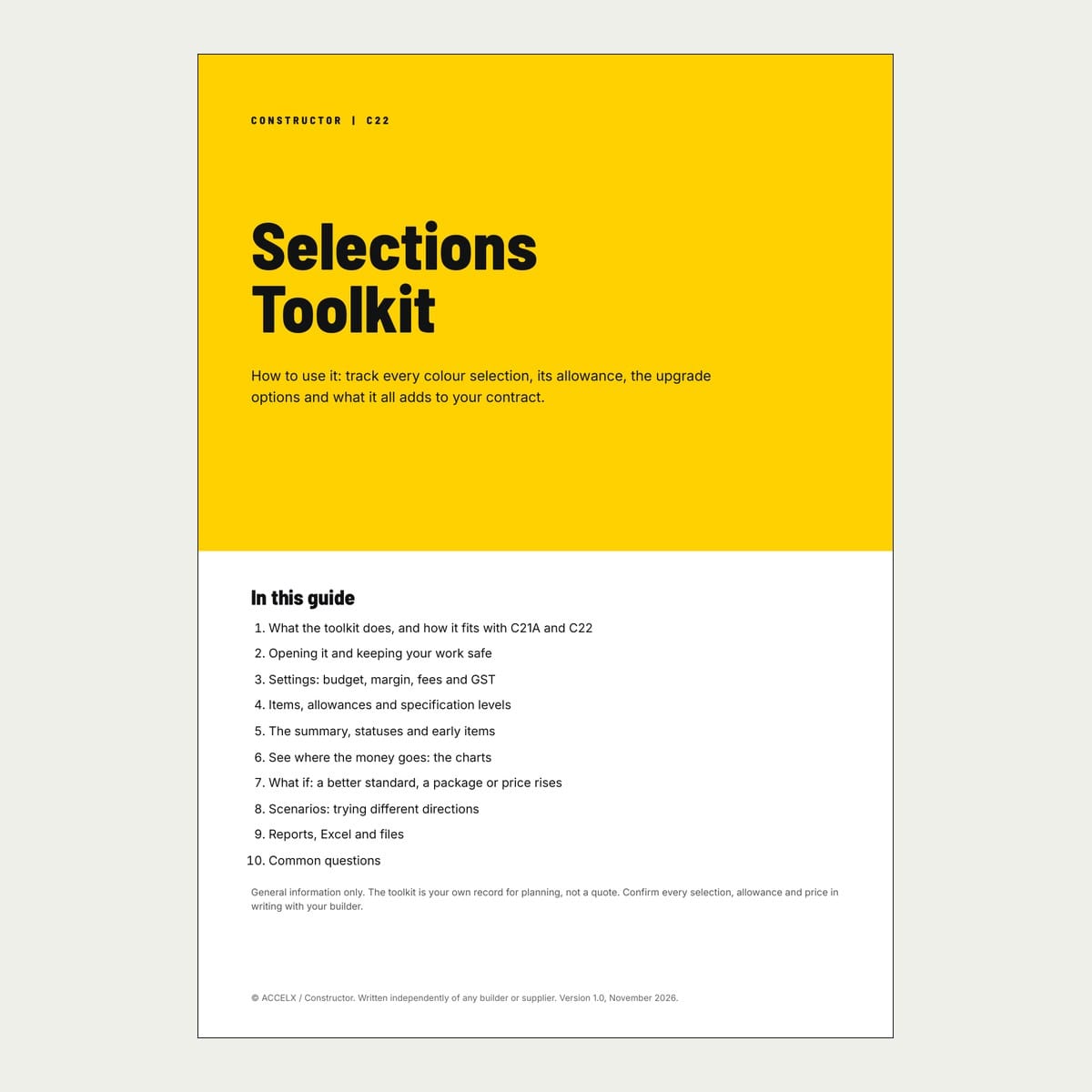
- A 12-page how-to guide, a sample report from the worked example and the licence terms.
- A licence key for up to three of your devices.
Already bought C22, or a bundle with C22 in it? The toolkit and your licence key are on your purchase page.
The toolkit is a calculator, not a quote. Builders' ranges, allowances, margins and processes differ: confirm every selection, price and change in writing with your builder before you sign.
C22 - Colour Selections + Selections Toolkit
$59 AUD
Last updated 28 Nov 2026 · Revision 5 · Free updates for life
Form factor: Fillable PDF checklist + Selections Toolkit (browser app, offline, private), how-to guide, licence key for 3 devices
When to use: Before and at your colour selections appointment, after you sign and before site start
Every choice at the appointment, item by item, and a running total of what your selections add to the contract.
Questions? Email support@constructor.net.au.


