

Introduction
It’s Monday morning, and your business depends on data: invoices, supplier contracts, client files, financial records, or property management documents. Then—your laptop or server refuses to start. Or worse, your systems fall victim to ransomware. Suddenly, everything your business relies on is inaccessible or compromised.
(💭's and 🙏's to M e t r i c o n ' s IT Team, existing and soon to be established!) - 01-08-2025
You might think: “I’m too small to be targeted”, or “Dropbox or Google Drive keeps everything backed up”.
The reality in Australia is different. Cyber threats strike every six minutes. Over 64% of Australian businesses experienced data loss or downtime in the past year, and the average organisation lost more than three working days due to unexpected system failures or disruptions. Downtime and data loss cost the nation nearly AU$65.5 billion annually, affecting productivity, revenue, and reputation.
About 58% of Australian businesses admit to not having a formal data backup or recovery plan, and 60% of those that suffer severe data loss close within six months. In other words—without a proper plan, one technical failure can derail years of effort.
That’s where BorgBase + Vorta come in. These tools offer an affordable, user-friendly solution—ideal for Australian business owners looking to protect data without endless complexity or expensive overhead:
- BorgBase is a secure hosted backup repository provider.
- Vorta is a beautiful, cross‑platform app that controls BorgBackup under the hood.
- Together, they deliver encrypted, deduplicated backups starting at just USD 80/year (~AUD 120) for 1 TB.
In this post—you'll learn:
- Why data loss prevention (DLP) is essential in Australia’s threat landscape
- What BorgBase and Vorta are and how they function together
- How to set up backups—from SSH key generation to restore steps—on Mac, Linux
- How to test restores to ensure your backups truly work when you need them
🤷♂️ 2. Why Data Loss Prevention (DLP) Matters for Businesses
2.1 Understanding Data Loss & Key Risks
Data loss can strike at any moment—and from many angles: hardware failure, human error, malware, ransomware, device theft, or natural disasters like floods or fires.
In Australia, hardware and human error account for nearly 75% of data loss incidents, making simple mistakes a major threat—even before considering cyber crime.
Imagine losing two years' worth of invoices or client records because a local storm ruined your PC, or accidentally deleting critical documents—without a recent backup, recovery may be impossible. That’s why off‑site, automated backups are essential: they protect even if your physical workplace is compromised.
2.2 How Common & Costly Is the Problem in Australia?
- Around 64% of Australian businesses experienced data loss or downtime in the past year, with the average incident causing over 27 hours (more than 3 workdays) of disruption..
- The yearly economic cost to business productivity and revenue from data loss is estimated at AU $65.5 billion.
- Nearly 58% of businesses lack a formal backup or disaster recovery plan, and only 7% have policies covering cloud, on-premise and hybrid data environments.
In short: most businesses are exposed, many incidents are preventable, and the financial stakes are enormous.
2.3 Impacts Beyond Just Downtime
- A cyber attack doesn’t just steal data—it can cost you an average of A$50,000 per incident (estimates range up to A$200k depending on scope).
- Loss of reputation is real: up to 20% of businesses report damage to their professional reputation, and almost half acknowledge losing client work due to backup failures.
- According to IT disaster recovery studies, every $1 spent on mitigation can prevent up to $7 in downstream costs; yet many businesses operate without any formal plans.
2.4 Why Many Businesses Assume “It Won’t Happen to Me”
- Reliance on consumer-grade tools: Dropbox, Google Drive, or USB drives may not offer version control, encryption, or offsite redundancy.
- Underestimating risk: human error and hardware failure are far more common than headline-grabbing breaches—but also more preventable.
- Cost and complexity fears: owners assume backups must be expensive or technical—this is often untrue, but without guidance, it feels that way.
Yet the data shows: businesses without any recovery plan have an extremely low chance of survival following major loss.

2.5 What Good DLP Looks Like
A robust data loss prevention plan includes:
- Automated off-site backups, preferably encrypted and incremental
- Regular testing of restore procedures—testing catches when a backup fails before disaster strikes.
- Clear retention policies (e.g. daily, weekly, monthly backups retained) for compliance—particularly vital if you're handling customer data subject to the Privacy Act.
- Monitoring or alerts to flag failed or stale backups before they become problematic
2.6 Why redundancy matters: the 3‑2‑1 backup rule
Many businesses assume a single backup or cloud sync is enough—but here's why that's risky. The widely recognised 3‑2‑1 backup rule offers a simple, proven blueprint for data resilience:
- 3 copies of your data (original device + 2 backups)
- Stored on 2 different media types (e.g. local hard drive + cloud/remote server)
- And at least 1 copy off-site (in another location or via a service like BorgBase).
This structure guards against:
- Hardware failure or corruption (one device might go bad, but two others survive)
- Physical/local disasters or theft (if your site floods, the off‑site copy is safe).
- Ransomware or malware (an encrypted off‑site backup remains clean and restorable)
BorgBase + Vorta fit the 3‑2‑1 model perfectly:
- Your device holds the original data.
- Vorta lets you run incremental backups locally (e.g. external drive or NAS).
- BorgBase provides the off‑site encrypted copy.
With Borg’s built‑in deduplication and encryption managed via Vorta, you get space‑efficient, secure off‑site backups—rounding out the full 3‑2‑1 protection without complexity.
🎯 What Is Deduplication?
Deduplication—sometimes shortened to “dedupe”—is a data‑protection technique that eliminates duplicate copies of data, storing just one unique instance and replacing repeated data with compact references or “pointers” to that original copy.
- Instead of saving every version of the same photo or file each time you run a backup, deduplication ensures that only new or changed data is stored.
- If you delete a file then add it back later—or if multiple files contain identical chunks—Borg captures just one copy, dramatically reducing storage needs and bandwidth usage
3. Meet BorgBackup, Vorta & BorgBase
3.1 BorgBackup (Borg) — The Powerful Engine Under the Hood
BorgBackup (often just "Borg") is an open-source backup program designed for efficiency, security, and long-term reliability:
- It uses content-defined chunking deduplication: files are split into variable-length chunks, and only brand-new chunks are stored—old and unchanged parts are referenced instead.
- Deduplication works across files, machines, and archives—move a file or rename it, Borg still detects duplicates and doesn’t waste space.
- Compression options (lz4, zstd, zlib, lzma) reduce storage and bandwidth use depending on your speed or space priorities.
- Authenticated encryption (AES‑OCB or ChaCha20-Poly1305 with HMAC-SHA256) ensures confidentiality and integrity—data is encrypted before leaving your device.
This combination makes Borg ideal for daily backups: only changes are uploaded, less storage is consumed, and encrypted archives remain secure—even if you lose access to your backup provider.
3.2 Vorta — A Friendly Interface for BorgBackup
While Borg is powerful, it’s command-line based—Vorta bridges that gap with a graphical, cross-platform (macOS & Linux) desktop client:
- You can create SSH keys, add repositories, pick folders to back up, schedule automatic backups, and restore archives—all from a friendly GUI
- Vorta's scheduler can automatically run backups at chosen intervals (daily, weekly, etc.) and launch on login to ensure no job is missed.
- Full support for browsing archives: mount restore points, extract individual files or whole folders, and prune old backups under flexible rules.
- It’s fully open-source and free under GPLv3—no vendor lock-in. Users (like me) often praise its clean interface and ease of use, with one observing: “Vorta gives me secure backups with detailed control, sane defaults and an easy to understand interface.”
Note: Windows support is limited, but work-arounds exist (e.g. WSL1/2) to run Borg and Vorta on Windows.

3.3 BorgBase — Secure, Hosted Backup Storage
BorgBase is a reliable hosted repository provider designed specifically for Borg users:
- They offer a free 10 GB plan, plus paid tiers such as 1 TB for USD $80/year (around AUD $120), which includes unlimited repositories and no transfer or API fees.
- Security-first design: data is encrypted on your device before upload; BorgBase doesn’t have access to your keys. Repositories can be append-only, with options for alerts when backups haven't run for a while.
- It fully supports using SSH key authentication. You can add multiple devices, each with its own key and repo access, making setup flexible.
Since the same team builds Vorta, integration is smooth: simply copy your BorgBase repo URL into Vorta, choose your SSH key, and you're ready to back up securely off‑site.
🔍 Summary
| Component | Function | Why it matters for Australian businesses |
|---|---|---|
| BorgBackup | Efficient, deduplicated, compressed, encrypted backups | Saves bandwidth & storage; protects your data from threats |
| Vorta | GUI interface with scheduler, restore tools, easy repo configuration | Makes backups accessible even if you're not tech-savvy |
| BorgBase | Affordable hosted repository, unlimited archives, SSH key management | Off‑site redundancy, good value for money, secure and expandable |
🥷 4. Why the Ransomware Economy Puts Your Business at Risk
4.1 Cyber crime: A Rising $10 Trillion‑a‑Year Threat
Recently, analysts have sharply revised the cost of cyber crime upward. While earlier estimates suggested around USD 1.2 trillion annually, the most current projections put cyber crime losses at USD 10.5 trillion by 2025, rivalling the GDPs of major world economies.
Ransomware is at the heart of that economic impact—which includes direct ransom payments, system recovery, business interruption, reputational damage, data loss, and more. Cyber security Ventures reports ransomware costs alone could exceed USD 57 billion in 2025, rising to over USD 265 billion by 2031.
Here’s the reality: you can’t ignore cyber threats anymore—or pretend they won’t affect your business. They will, and often when you least expect it.
4.2 State‑Sponsored Attackers and Organised Crime
Today’s ransomware operators often function more like professional businesses—sometimes backed by nation-states seeking soft power or financial gain. Organised groups such as LockBit, Conti, and BlackCat operate with structure, employee roles, and even research-and-development arms.
These attackers seize on geopolitical tensions and weak legal limitations to target businesses globally, especially those with cyber insurance policies.
4.3 Cyber Insurance: A Double‑Edged Sword
Certain ransomware gangs now tailor ransom demands to what they know victims can afford—based on their insurance coverage. If a business carries a cyber insurance policy, attackers may demand amounts close to the policy limit, confident the insurer will pay.
Insurers have become central figures in the ransomware ecosystem. Premiums have surged, and underwriters now demand strong controls and resilience measures. But reliance on insurance creates moral hazard: businesses may feel they’re safe—until exclusions kick in (e.g., state-sponsored incidents or war-like acts), leaving them uncovered.
NotPetya—attributed to a Russian state-affiliated attack—caused around USD 10 billion in damage, yet insurers denied many claims citing war exclusion clauses.
4.4 What This Means for Your Business
- You are a potential target, regardless of size or industry. If you hold cyber insurance, attackers assume you can pay—and demand accordingly.
- Insurance may not fully protect you—especially in cases involving state-sponsored attacks or war exclusions.
- Downtime and recovery costs dwarf ransom payouts. The average ransomware incident now costs upwards of USD 5 million, mostly from lost productivity, remediation, legal fees, fines, and reputation damage—not just the ransom itself.

🧟 5. Staff Training: Your Most Critical Layer of Defence
5.1 Why Staff Behaviour Matters More Than Ever
Technology can block many cyber threats—but often it’s human error that opens the doors. According to IBM, up to 95% of cyber security breaches involve human mistakes—such as clicking on malicious links or neglecting multi-factor authentication.
5.2 The Growing Menace of AI‑Powered Phishing & Vishing
AI has dramatically upped the game for attackers. Recent studies show that AI‑powered spear‑phishing campaigns now outperform elite human-crafted campaigns, increasing attack effectiveness by over 55% since 2023.
Even more concerning: attackers now use AI-generated voice cloning, creating deepfake audio to impersonate trusted individuals—such as executives or suppliers—to trick staff into sharing passwords, transferring funds, or revealing sensitive info. These aren't scripted scams—they often occur on real-time phone or video calls.

5.3 Training Turns Staff into a Human Firewall
Regular, role-specific cyber training can reduce your risk dramatically:
- Organisations that implement structured, continuous training see a 70% decrease in successful phishing incidents, according to Ponemon Institute findings.
- Adaptive and behaviour-first training approaches—like simulations and real-time reporting—have been shown to reduce phishing risk by as much as 86%.
New hires are especially vulnerable—they're 44% more likely to click malicious links in their first few months and 71% more likely to fall for social-engineering scams unless given proper orientation.
Training approaches that show strong results include:
- Quarterly phishing simulations
- Role-playing exercises and group sessions that encourage discussion
- Open-reporting culture where mistakes lead to learning, not blame.
5.4 AI (Machine Learning/Big Data) Doesn’t Replace Training—it Escalates It
In the age of generative AI, teaching staff to recognise scams is far more important than ever. According to recent analyses:
- Generic spam filters may fail against AI-generated phishing, which mimics tone, logos, formatting, and even writing style.
- Voice phishing (vishing) increasingly leverages AI‑cloned audio to deceive employees—making staff awareness and verification protocols essential.
AI-powered phishing now outperforms human-crafted attacks by 55%, and training programs can reduce phishing by up to 86% using adaptive simulations and real-time threat awareness.
6. Getting Started with BorgBase & Vorta: A Step-by-Step Guide
Follow these steps to install Vorta, connect it to BorgBase, and set up automated, encrypted backups:
👉️ Step 1 – Sign Up to BorgBase and Add Your SSH Key
- Go to BorgBase.com, sign up for the free plan (10 GB) or paid tier (1 TB for USD 80/year).
- Navigate to Account → SSH Keys, click Add Key, and paste the public part of your SSH key.
- Give each key a clear name (e.g. “Office Laptop”) and save.
This provides secure, password‑less access from your computer to your off‑site repository.
👉️ Step 2 – Create a BorgBase Repository
- In BorgBase, go to Repositories → New Repo.
- Name it (e.g. “Office Laptop Backup”), choose your region (closest for performance), set a quota, and assign the SSH key(s).
- Click Create. Then copy the repo URL for later use.
👉️ Step 3 – Install Vorta on Your Device
On Linux:
- Preferred options:
sudo apt install vorta(Debian/Ubuntu and derivatives)flatpak install flathub com.borgbase.Vorta- Or
pip3 install vortaif you prefer the latest version Borgbase.
On macOS:
- Install Homebrew if needed, then run
brew install vorta. Alternatively, use a DMG or PKG installer from Vorta’s website.
(Windows isn't fully supported yet; you can use WSL to run Vorta on Windows if needed)
👉️ Step 4 – Connect Vorta to Your BorgBase Repository
- Launch Vorta.
- Under the Repository tab, select Initialise New Repository, choose “Remote Repository”, and paste your BorgBase repo URL.
- Select the matching SSH key from the dropdown and set a secure passphrase (if not already set in BorgBase). If options like encryption or compression appear, default settings are safe to keep.
- Click Add—Vorta will perform an init of the remote repo and confirm success.
👉️ Step 5 – Choose What to Back Up
- Switch to the Sources tab and click Add Directory (or File).
- Pick your important folders: e.g. accounting folders, client files, Photos, Documents, even external hard drives.
- Configure exclusions if needed (comparative backups, large temp files).
- Click Start Backup—the first full backup may take some time depending on file size and internet speed.
👉️ Step 6 – Automate Backups & Manage Retention
- Go to the Schedule tab. Choose daily, weekly, or custom intervals.
- Enable “Start Vorta automatically at login” under the Misc tab to ensure backups run even if you forget.
- In Archives, configure pruning rules: e.g. keep hourly backups for 24 hours, daily for a month, monthly for a year. Vorta can thin out older snapshots automatically after each backup.
👉️ Step 7 – Testing and Restoring Your Backup
- Under Archives, find a recent snapshot.
- You can choose Mount to browse files or Extract to restore to a folder.
- To test on a new device: copy your existing private SSH key (set
chmod 600), install Vorta, add your BorgBase repo using the same URL—your archives will appear and be extractable exactly as before.
Summary
- Sign up for BorgBase, add your SSH key.
- Create a repo and copy its URL.
- Install Vorta on your device.
- Add the remote repository in Vorta.
- Choose folders and perform your first backup.
- Schedule automated backups and set up pruning.
- Test restore via mount or extract to confirm everything works.

7. Why This Is A Good Backup Solution
Here’s how BorgBase + Vorta stack up when compared with local competitors and bigger corporate plans.
7.1 Affordability: Pay for What You Actually Use
- BorgBase offers a 1 TB plan at USD 80/year (≈ AUD 120) plus flexible quota billing—you only pay for overage beyond your plan limit; there are no data transfer, API or hidden fees.
- In comparison, many Australian backup services are around AU$20/month per device for similar capacity—easily amounting to AU$240/year or more, and often without encryption or deduplication.
- While providers like Backblaze B2 or Wasabi offer comparable or slightly higher pricing (~USD 83/year for 1 TB), those are paid-for storage only. BorgBase includes integrated support for Borg & Vorta with zero‑knowledge encryption.
7.2 Performance
- Many Aussie businesses use providers with servers overseas, lagging in upload/download speed and potentially exposing data to different legal jurisdictions.
- BorgBase allows you to choose between EU or US regions. Because Borg encrypts data before upload, legal jurisdiction doesn’t affect your data privacy—a key advantage if you handle legally sensitive client data.
7.3 Efficiency & Security Built-In
- Borg’s content-defined deduplication ensures you only upload changed parts of files—even if they’re re-named or moved—saving bandwidth and disk space.
- Unlike Dropbox or Google Drive, backups are encrypted on the client side, meaning zero-knowledge encryption: BorgBase never sees your encryption keys or data.
- Automatic pruning rules—daily, weekly, monthly—keep your archive tidy, while stale-backup alerting ensures you’re aware if backups stop running.
🎯 Conclusion
Businesses face real risks every day: sudden hardware failure, human error, cyber attacks, even natural disasters. The stats are stark: over 64% of Aussie businesses experience data loss or downtime each year, yet around 60% still have no formal backup strategy to protect themselves from that kind of fallout.
That’s where BorgBase + Vorta come in. This simple, cost-effective setup gives you:
- Secure, client‑side encrypted backup
- Efficient, deduplicated storage that slashes bandwidth use
- An easy-to-use GUI to schedule, review, and restore backups—even if you’re not a tech pro
- Flexible and transparent pricing—around AUD 120/year for 1 TB, with no hidden data transfer fees
What’s more, you reduce your reliance on ransomware payout scenarios or uncertain cyber insurance coverage—especially as cyber criminals increasingly target businesses based on their insurance limits. Imagine being able to bypass the recovery nightmare because your data is already yours to restore.

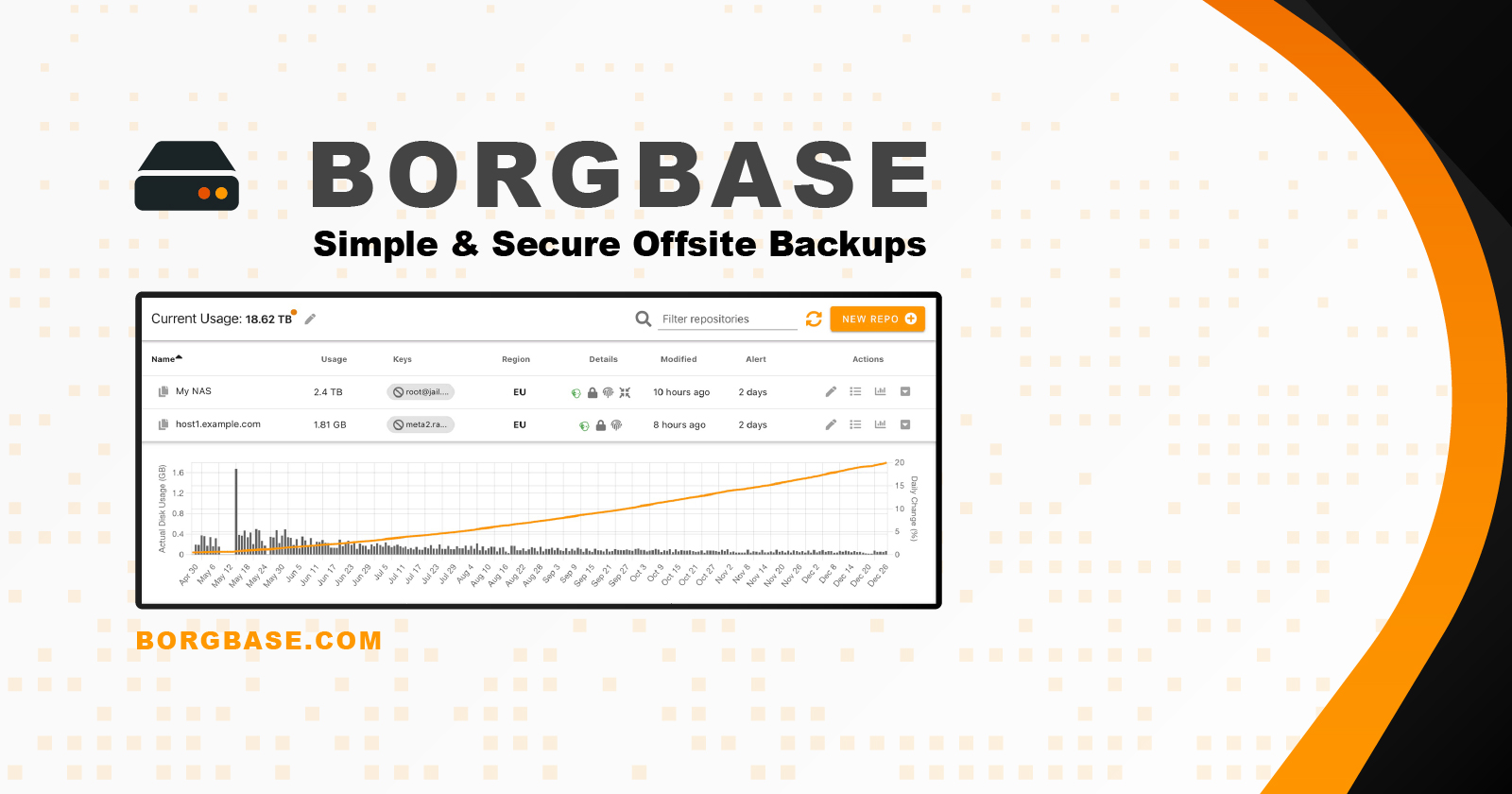
👉️ Official Links: Learn More & Signup To Borg Here


Frequently Asked Questions (FAQ)
1. What if I delete an important file—how long are backups kept?
BorgBase and Vorta support pruning rules, letting you keep hourly, daily, weekly, monthly snapshots. Once configured, Vorta automatically removes older archives per your retention policy. You can restore any file from any kept snapshot.
2. Can I back up an external hard drive or USB stick?
Yes—just connect your external drive and add it as a source in the Sources tab within Vorta. It’ll be backed up just like internal folders, as long as it’s mounted when the backup runs.
3. What if I change computers or reinstall the OS?
Your archives remain intact off-site. Generate or reuse your SSH key, add it in BorgBase, install Vorta on the new device, configure the same backup repo URL, and your existing archives will appear and be restorable.
4. How secure is encryption—can even the provider access my data?
Borg uses client-side encryption (AES-OCB or ChaCha20-Poly1305 with HMAC-SHA256). Your data is encrypted before leaving your device and BorgBase never sees your keys. Plus, you can enable append-only mode to prevent tampering.
5. I have slow NBN—will this work for me?
Absolutely. Vorta only uploads changed or new data thanks to deduplication. After the first full backup, subsequent syncs are minimal—saving bandwidth and time.
6. Will this work on Mac, Linux, Windows?
Vorta is fully supported on Linux and macOS. Windows users can run Vorta inside Windows Subsystem for Linux (WSL). Direct Windows support is evolving but still unofficial.
7. What if backups stop running or fail?
BorgBase offers stale-backup alerts (via email or webhook) if backups fail or don’t run for a set period. This ensures you’re notified early—not weeks later.
8. Is there vendor lock-in or migration difficulty?
None. Borg archives can be migrated or downloaded at any time. Since they’re encrypted locally, you can switch providers or host your own Borg repo without losing data. You remain in full control.
9. What happens if I lose my encryption key or passphrase?
If you lose your key or passphrase, the encrypted backup is irrecoverable. It’s vital to securely store a backup copy of your passphrase—or keyfile if using keyfile mode—such as offline or in a secure password manager.
10. Do I still need cyber insurance if I’m backing up?
Yes—backups complement, not replace, cyber insurance. Insurance can help cover liability, legal fees, and damage to reputation, while backups let you restore data without paying ransom. Together, they provide robust business resilience.
Further Reading
 Anthony Painter
 Anthony Painter
 Anthony Painter
 Anthony Painter