
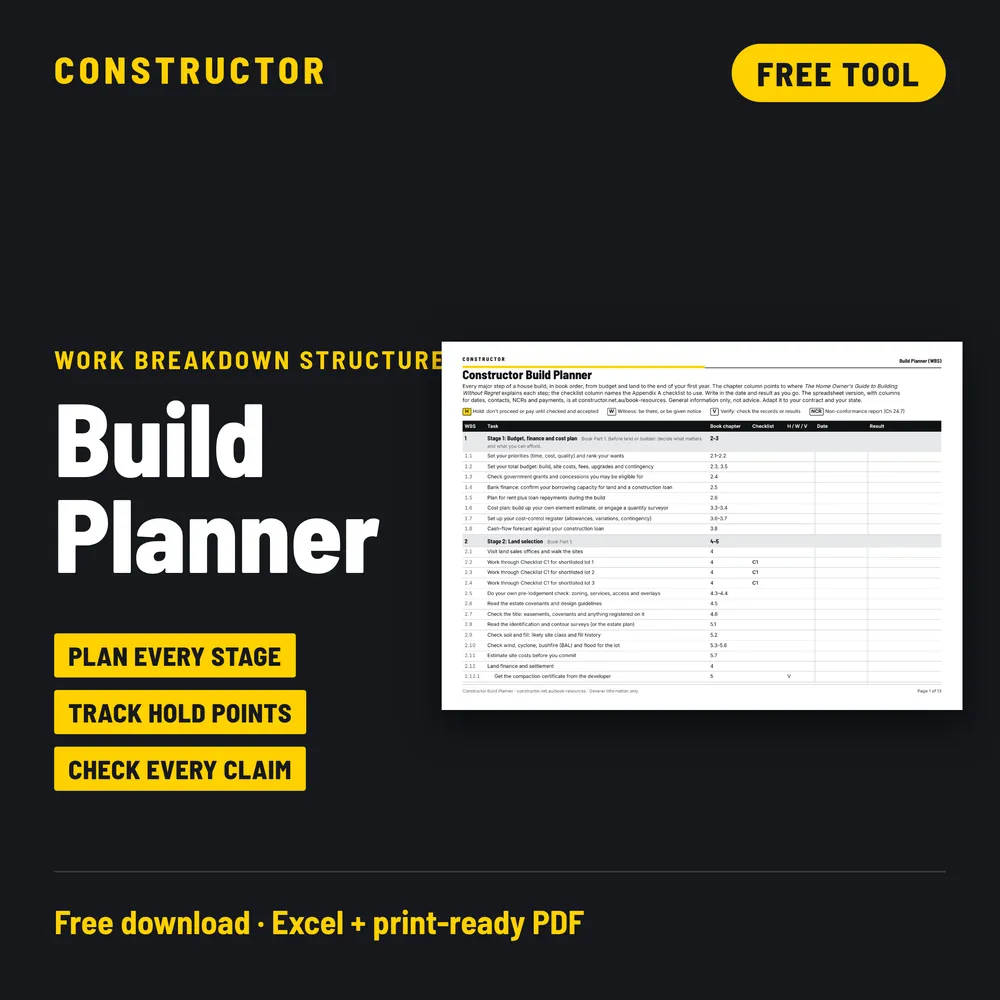
Most people building a new home only do it once or twice. The builder has done it hundreds of times, and knows what comes next. The Build Planner closes that gap. It's a free list of every step of building a house, in order, from setting your budget to the end of your first year in the home, so you can see what's coming and know when to stop and look.
It's adapted from the task list we use on our own builds, cut down to what a home owner needs to know. It comes as an Excel tracker and a 13-page print-ready PDF.
What the Build Planner is
The Build Planner is a work breakdown structure (WBS) for building a house. That's the project management name for one simple idea: break a big job into stages, break each stage into tasks, and give every task a number so everyone can talk about the same thing.
- 16 stages and 316 tasks, from budget and land selection through to the end of the 12-month defects period.
- Every task is numbered (for example 9.30 is the pre-pour slab inspection), so it's easy to refer to in an email or a meeting.
- Hold, witness and verify points are marked on the tasks where you should stop, watch or ask for paperwork.
- Each task shows the checklist and book chapter that cover it, so you always know where to look for the detail.
It follows the same order as our book, Building Without Regret, but you don't need the book to use it.
What it does for you
A building contract tells you what you're getting. It doesn't tell you what you should be doing, and when. The Build Planner does three jobs:
- It shows you what's next. Most of the tasks are done by the builder. Your job is to watch, check and keep records. Seeing the next ten tasks means a site meeting or a progress claim never takes you by surprise.
- It tells you when to stop and look. Some steps can't be checked later. Once the slab is poured, you can't see the reinforcement. Once the tiles are down, you can't see the waterproofing. The planner flags these moments before they happen.
- It keeps your records in one place. The Excel version has columns for the date you inspected, any NCR raised and closed, variations, contacts, and whether each progress claim is OK to pay.
Who it's for
- Home owners building a new home with a project builder or a custom builder, who want to know what happens next.
- First home buyers who've never been through a build and want the whole picture before they sign.
- Owner builders, who can use it as a starting program and add their own dates, durations and trades.
- Anyone helping a family member build, who needs to keep track without being on site every day.
It isn't a replacement for your builder's construction program, and it isn't a replacement for an independent inspector. It's a primer: it helps you ask better questions at the right time, and work alongside your builder and your inspector rather than chase them.
The 16 stages
The first eight stages happen before anything is built. That's on purpose: most of the decisions that cost money later are made before you sign the contract.
| Stage | What it covers | Checklists |
|---|---|---|
| 1. Budget, finance and cost plan | Priorities, total budget, contingency, finance, cost plan and cash flow | None |
| 2. Land selection | Shortlisting lots, covenants, title, surveys, soil, wind, bushfire and flood, site costs, settlement | C1 |
| 3. Choosing your builder | Project or custom builder, shortlist, interviews, licence checks, site visits, tenders | C4 |
| 4. The PSA and your consultants | The preliminary service agreement, contour survey, soil test, siting the house | None |
| 5. Design decisions | Layout, orientation, energy, wet areas and the decisions that are expensive to change later | C20, C13A |
| 6. Pre-contract pricing | Checking the tender, site costs and allowances before the contract | None |
| 7. Specifications, selections and the contract | The specification, colour and fixture selections, and signing the contract (or walking away) | C22 |
| 8. Approvals and site start | Building approval, finance confirmed, site set-up | C2, C3 |
| 9. Base stage | Earthworks, footings and slab, the pre-pour inspection | C4A, C5, C6 |
| 10. Frame stage | Wall and roof framing, tie-down, bracing and the roof covering | C7, C8 or C9 |
| 11. Enclosed (lock-up) stage | Brickwork or cladding, windows, flashings, services rough-in | C10, C11 |
| 12. Fixing stage | Plasterboard, waterproofing, tiling, joinery | C12, C13B, C14 |
| 13. Practical completion | Painting, the practical completion inspection and the defects document | C15, C16 |
| 14. Handover | Final payment, manuals, certificates, warranties and keys | C17 |
| 15. 6-month maintenance inspection | The first round of maintenance and anything that has shown up since handover | C18 |
| 16. 12-month defects period end | Reporting defects in writing before the defects period ends | None |
C3 (sediment and erosion control) comes up again at every construction stage, from site start to practical completion, because sediment controls need checking right through the build.
Hold, witness and verify points
These three letters are the most useful part of the planner. They come from the inspection and test plans used on commercial jobs, and they work just as well on a house.
- H = Hold. Work or payment shouldn't go ahead until this is checked and accepted. There are 9 hold points, highlighted yellow, including signing the contract, the pre-pour slab inspection (C5), waterproofing (C13B), practical completion (C16) and handover (C17).
- W = Witness. You or your inspector should be there, or be given notice, to see it happen. Ask your builder for notice in advance. There are 16.
- V = Verify. Check the paperwork: certificates, test results, photos and sign-offs. There are 38, from the compaction certificate on your land to the final certificates at handover.
Agree early with your builder how you'll be told when a hold or witness point is coming up. A short message a day or two ahead is usually all it takes, and most builders are happy to work that way when it's agreed before the job starts.
How to use the Build Planner
- Download it before you sign anything. Stages 1 to 7 are all before the contract, and that's where the planner saves the most money.
- Make it yours. Delete the tasks that don't apply to your build (for example, a custom-home tender if you're using a project builder), and add any your contract needs.
- Add your dates as you get them. Use the planned start and finish columns for your program, and the contact columns for who's doing each task.
- Filter to see what's next. In Excel, filter by stage, by checklist, or by hold, witness and verify to see only the tasks that need you.
- Stop at every hold point. Check it yourself with the matching checklist, or have your inspector check it, before you agree to proceed or pay.
- Record what you find. Fill in the date inspected and the result. If something isn't right, raise an NCR using our free NCR Form, note it against the task, and add the closed date when it's fixed. Tag your photos with CINS numbers so they match.
- Check each progress claim before you pay. Use the payment columns to note when a claim arrived, whether the stage is really complete, and when you sent your payment schedule.
Prefer paper? Print the PDF and keep it in your site folder. It has the same stages, tasks, checklists and hold points, with space for dates and results.
What's in the Excel tracker
- WBS, Task and Description: the task number, what it is, and a short note on what to watch for.
- Book chapter and Checklist: where the detail is.
- Hold / Witness / Verify: when to stop, watch or check the paperwork.
- Planned start and finish, Duration, Predecessors: your own program.
- Status and Result: drop-downs, so you can see at a glance what's done and what's held up.
- QC date inspected, NCR issued, NCR closed date, Variation status: your inspection record.
- Contact, Phone, Email, Delivery date: who's doing it and when.
- Payment claim received, OK to pay?, Payment schedule sent: a check on every progress claim.
The planner uses Queensland names (QBCC, QLeave, Form 21) as examples. Your state's approvals, forms and deadlines may differ, so adapt it to your contract and your state. It's general information, not advice.
Common questions
Is it really free?
Yes. There's no catch and nothing to sign up for. You get the Excel workbook and the PDF, and free updates when we revise it.
Do I need the checklists to use it?
No. The planner works on its own. The checklist codes just tell you which Constructor checklist covers that stage in detail, if you want one.
Does it replace my builder's program?
No. Your builder's program shows when trades are booked. The Build Planner shows what you should be checking and when. Use them side by side, and ask your builder for their program so you can add the dates.
Does it work for an owner builder?
Yes. Add durations and predecessors to turn it into a simple program, and use the contact columns for your trades.
Get the Build Planner
Download the Build Planner free from the Free tools section of our checklists page. You can flick through a preview there first. If you're reading our book, it's also on the book resources page with the other downloads.


